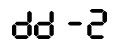
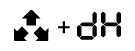
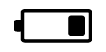
# Controlling the system using a remote key

### Remote Keys

The complex's memory can be programmed with two types of remote keys:

1. **Remote key with LCD (liquid crystal display).   
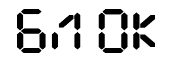
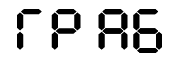
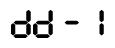
    [![image.png](/uploads/images/gallery/2024-02/scaled-1680-/dmgimage.png) ](/uploads/images/gallery/2024-02/dmgimage.png) **[![image.png](/uploads/images/gallery/2024-02/scaled-1680-/xGqimage.png)](/uploads/images/gallery/2024-02/xGqimage.png)**
    
    The remote key with LCD uses a AAA 1.5 V battery. The battery life of the remote key with LCD is up to 6 months depending on operating conditions.
2. **Additional remote key.**  
    ![a96-led-remote.jpg](/uploads/images/gallery/2023-11/a96-led-remote.jpg "Документация StarLine > _Управление_комплексом_с_помощью_брелока_E96_E96v2 > a96-led-remote.jpg")  
    The additional remote key uses a CR2032 3 V battery.  
    The battery life of the additional remote key is up to 1 year depending on operating conditions.

<p class="callout warning">The presence of an additional remote key depends on the configuration of the security system.</p>

The main and additional remote keys are equivalent in cryptographic resistance. Both remote keys use a dialogue algorithm for data exchange, excluding intelligent electronic hacking.

Information about the current state of the security complex is transmitted to the main remote key and displayed on the screen. The additional remote key does not have notification functions; it is intended only for transmitting basic control commands.

### Meaning of icons on the remote key  


#### Engine Start

<table class="relative-table wrapped confluenceTable" id="bkmrk-%D0%98%D0%BA%D0%BE%D0%BD%D0%BA%D0%B0-%D0%97%D0%BD%D0%B0%D1%87%D0%B5%D0%BD%D0%B8%D0%B5-%D0%94%D0%B2%D0%B8%D0%B3" style="width: 34.0647%;"><colgroup><col style="width: 25.1613%;"></col><col style="width: 74.8387%;"></col></colgroup><tbody><tr><th class="confluenceTh" style="text-align: center;">Icon</th><th class="confluenceTh" style="text-align: center;">Meaning</th></tr><tr><td class="confluenceTd" style="text-align: center;">![Двигатель запущен.jpg](/uploads/images/gallery/2023-11/dvigatel-zapushhen.jpg "Документация StarLine > _Управление_комплексом_с_помощью_брелока_E96_E96v2 > Двигатель запущен.jpg")

</td><td class="confluenceTd">Engine is running</td></tr><tr><td class="confluenceTd" style="text-align: center;">![Включен автоматический запуск по будильнику.jpg](/uploads/images/gallery/2023-11/vkliucen-avtomaticeskii-zapusk-po-budilniku.jpg "Документация StarLine > _Управление_комплексом_с_помощью_брелока_E96_E96v2 > Включен автоматический запуск по будильнику.jpg")

</td><td class="confluenceTd">Automatic start by alarm is activated</td></tr><tr><td class="confluenceTd" style="text-align: center;">![Включен автоматический периодический запуск.jpg](/uploads/images/gallery/2023-11/vkliucen-avtomaticeskii-periodiceskii-zapusk.jpg "Документация StarLine > _Управление_комплексом_с_помощью_брелока_E96_E96v2 > Включен автоматический периодический запуск.jpg")

</td><td class="confluenceTd">Automatic periodic start is activated</td></tr><tr><td class="confluenceTd" style="text-align: center;">![Включен автоматический запуск по температуре.png](/uploads/images/gallery/2023-11/vkliucen-avtomaticeskii-zapusk-po-temperature.png "Документация StarLine > _Управление_комплексом_с_помощью_брелока_E96_E96v2 > Включен автоматический запуск по температуре.png")

</td><td class="confluenceTd">Automatic start by temperature is activated</td></tr><tr><td class="confluenceTd" style="text-align: center;">![Включен автоматический запуск по падению напряжения АКБ.png](/uploads/images/gallery/2023-11/vkliucen-avtomaticeskii-zapusk-po-padeniiu-napriazeniia-akb.png "Документация StarLine > _Управление_комплексом_с_помощью_брелока_E96_E96v2 > Включен автоматический запуск по падению напряжения АКБ.png")

</td><td class="confluenceTd">Automatic start by battery voltage drop is activated</td></tr><tr><td class="confluenceTd" colspan="1" style="text-align: center;">![Выполнена программная нейтраль.png](/uploads/images/gallery/2023-11/vypolnena-programmnaia-neitral.png "Документация StarLine > _Управление_комплексом_с_помощью_брелока_E96_E96v2 > Выполнена программная нейтраль.png")

</td><td class="confluenceTd" colspan="1">Programmed neutral is executed</td></tr><tr><td class="confluenceTd" colspan="1" style="text-align: center;">![Включен подогрев двигателя (мигает).png](/uploads/images/gallery/2023-11/vkliucen-podogrev-dvigatelia-migaet.png "Документация StarLine > _Управление_комплексом_с_помощью_брелока_E96_E96v2 > Включен подогрев двигателя (мигает).png")

</td><td class="confluenceTd" colspan="1">Engine heating is activated (blinking)</td></tr></tbody></table>

#### Operating Modes

<table class="relative-table wrapped confluenceTable" id="bkmrk-%D0%98%D0%BA%D0%BE%D0%BD%D0%BA%D0%B0-%D0%97%D0%BD%D0%B0%D1%87%D0%B5%D0%BD%D0%B8%D0%B5-%D0%90%D0%B2%D1%82%D0%BE" style="width: 34.0647%;"><colgroup><col style="width: 25.3226%;"></col><col style="width: 74.6774%;"></col></colgroup><tbody><tr><th class="confluenceTh" style="text-align: center;">Icon</th><th class="confluenceTh" style="text-align: center;">Meaning</th></tr><tr><td class="confluenceTd" style="text-align: center;">![Автомобиль под охраной_2.png](/uploads/images/gallery/2023-11/avtomobil-pod-oxranoi-2.png "Документация StarLine > _Управление_комплексом_с_помощью_брелока_E96_E96v2 > Автомобиль под охраной_2.png")

</td><td class="confluenceTd">Security on</td></tr><tr><td class="confluenceTd" style="text-align: center;">![Режим «Свободные руки».png](/uploads/images/gallery/2023-11/rezim-svobodnye-ruki.png "Документация StarLine > _Управление_комплексом_с_помощью_брелока_E96_E96v2 > Режим «Свободные руки».png")

</td><td class="confluenceTd">"Hands-Free" mode</td></tr><tr><td class="confluenceTd" style="text-align: center;">![Сервисный режим.png](/uploads/images/gallery/2023-11/servisnyi-rezim.png "Документация StarLine > _Управление_комплексом_с_помощью_брелока_E96_E96v2 > Сервисный режим.png")

</td><td class="confluenceTd">Service mode</td></tr><tr><td class="confluenceTd" style="text-align: center;">![Режим настроек и программирования.png](/uploads/images/gallery/2023-11/rezim-nastroek-i-programmirovaniia.png "Документация StarLine > _Управление_комплексом_с_помощью_брелока_E96_E96v2 > Режим настроек и программирования.png")

</td><td class="confluenceTd">Settings and programming mode

</td></tr><tr><td class="confluenceTd" style="text-align: center;">![Блокировка кнопок брелока.png](/uploads/images/gallery/2023-11/blokirovka-knopok-breloka.png "Документация StarLine > _Управление_комплексом_с_помощью_брелока_E96_E96v2 > Блокировка кнопок брелока.png")

</td><td class="confluenceTd">Remote key button lock</td></tr><tr><td class="confluenceTd" colspan="1" style="text-align: center;">![Режим «Антиограбление».png](/uploads/images/gallery/2023-11/rezim-antiograblenie.png "Документация StarLine > _Управление_комплексом_с_помощью_брелока_E96_E96v2 > Режим «Антиограбление».png")

</td><td class="confluenceTd" colspan="1">"Anti hijack" mode

</td></tr></tbody></table>

#### Security zones

<table class="relative-table wrapped confluenceTable" id="bkmrk-%D0%98%D0%BA%D0%BE%D0%BD%D0%BA%D0%B0-%D0%97%D0%BD%D0%B0%D1%87%D0%B5%D0%BD%D0%B8%D0%B5-%D0%92%D0%BA%D0%BB%D1%8E" style="width: 33.955%;"><colgroup><col style="width: 25.0809%;"></col><col style="width: 74.9191%;"></col></colgroup><tbody><tr><th class="confluenceTh" style="text-align: center;">Icon</th><th class="confluenceTh" style="text-align: center;">Meaning</th></tr><tr><td class="confluenceTd" style="text-align: center;">![Включено зажигание.png](/uploads/images/gallery/2023-11/vkliuceno-zaziganie.png "Документация StarLine > _Управление_комплексом_с_помощью_брелока_E96_E96v2 > Включено зажигание.png")

</td><td class="confluenceTd">Ignition is on</td></tr><tr><td class="confluenceTd" style="text-align: center;">![Затянут стояночный тормоз.png](/uploads/images/gallery/2023-11/zatianut-stoianocnyi-tormoz.png "Документация StarLine > _Управление_комплексом_с_помощью_брелока_E96_E96v2 > Затянут стояночный тормоз.png")

</td><td class="confluenceTd">Parking brake is engaged</td></tr><tr><td class="confluenceTd" style="text-align: center;">![открыт капот.png](/uploads/images/gallery/2023-11/otkryt-kapot.png "Документация StarLine > _Управление_комплексом_с_помощью_брелока_E96_E96v2 > открыт капот.png")

</td><td class="confluenceTd">Hood is open</td></tr><tr><td class="confluenceTd" style="text-align: center;">![Открыта дверь.png](/uploads/images/gallery/2023-11/otkryta-dver.png "Документация StarLine > _Управление_комплексом_с_помощью_брелока_E96_E96v2 > Открыта дверь.png")

</td><td class="confluenceTd">Door is open</td></tr><tr><td class="confluenceTd" style="text-align: center;">![Открыт багажник.png](/uploads/images/gallery/2023-11/otkryt-bagaznik.png "Документация StarLine > _Управление_комплексом_с_помощью_брелока_E96_E96v2 > Открыт багажник.png")

</td><td class="confluenceTd">Trunk is open</td></tr></tbody></table>

#### Sensors

<table class="relative-table wrapped confluenceTable" id="bkmrk-%D0%98%D0%BA%D0%BE%D0%BD%D0%BA%D0%B0-%D0%97%D0%BD%D0%B0%D1%87%D0%B5%D0%BD%D0%B8%D0%B5-%D0%A1%D1%80%D0%B0%D0%B1" style="width: 37.4074%; height: 530.266px;"><colgroup><col style="width: 31.8008%;"></col><col style="width: 68.3534%;"></col></colgroup><tbody><tr style="height: 29.7969px;"><th class="confluenceTh" style="text-align: center; height: 29.7969px;">Icon</th><th class="confluenceTh" style="text-align: center; height: 29.7969px;">Meaning</th></tr><tr style="height: 67.0625px;"><td class="confluenceTd" style="text-align: center; height: 67.0625px;">![Сработал датчик наклона или движения.png](/uploads/images/gallery/2023-11/srabotal-datcik-naklona-ili-dvizeniia.png "Документация StarLine > _Управление_комплексом_с_помощью_брелока_E96_E96v2 > Сработал датчик наклона или движения.png")

</td><td class="confluenceTd" style="height: 67.0625px;">Tilt or motion sensor activated</td></tr><tr style="height: 46.5938px;"><td class="confluenceTd" style="text-align: center; height: 46.5938px;">![Сработал дополнительный датчик 1.png](/uploads/images/gallery/2023-11/srabotal-dopolnitelnyi-datcik-1.png "Документация StarLine > _Управление_комплексом_с_помощью_брелока_E96_E96v2 > Сработал дополнительный датчик 1.png")

</td><td class="confluenceTd" style="height: 46.5938px;">Additional sensor 1 activated</td></tr><tr style="height: 49.1875px;"><td class="confluenceTd" style="text-align: center; height: 49.1875px;">![Сработал дополнительный датчик 2.png](/uploads/images/gallery/2023-11/srabotal-dopolnitelnyi-datcik-2.png "Документация StarLine > _Управление_комплексом_с_помощью_брелока_E96_E96v2 > Сработал дополнительный датчик 2.png")

</td><td class="confluenceTd" style="height: 49.1875px;">Additional sensor 2 activated</td></tr><tr style="height: 41.4219px;"><td class="confluenceTd" style="text-align: center; height: 41.4219px;">![Сработал датчик наклона.png](/uploads/images/gallery/2023-11/srabotal-datcik-naklona.png "Документация StarLine > _Управление_комплексом_с_помощью_брелока_E96_E96v2 > Сработал датчик наклона.png")

</td><td class="confluenceTd" style="height: 41.4219px;">Tilt sensor activated</td></tr><tr style="height: 39.4219px;"><td class="confluenceTd" style="text-align: center; height: 39.4219px;">![Сработал датчик движения.png](/uploads/images/gallery/2023-11/srabotal-datcik-dvizeniia.png "Документация StarLine > _Управление_комплексом_с_помощью_брелока_E96_E96v2 > Сработал датчик движения.png")

</td><td class="confluenceTd" style="height: 39.4219px;">Motion sensor activated</td></tr><tr style="height: 76.375px;"><td class="confluenceTd" style="text-align: center; height: 76.375px;">![Сработал предупредительный уровень датчика удара.png](/uploads/images/gallery/2023-11/srabotal-predupreditelnyi-uroven-datcika-udara.png "Документация StarLine > _Управление_комплексом_с_помощью_брелока_E96_E96v2 > Сработал предупредительный уровень датчика удара.png")

</td><td class="confluenceTd" style="height: 76.375px;">Warning level of shock sensor activated</td></tr><tr style="height: 86.3906px;"><td class="confluenceTd" style="text-align: center; height: 86.3906px;">![Сработал тревожный уровень датчика удара.png](/uploads/images/gallery/2023-11/srabotal-trevoznyi-uroven-datcika-udara.png "Документация StarLine > _Управление_комплексом_с_помощью_брелока_E96_E96v2 > Сработал тревожный уровень датчика удара.png")

</td><td class="confluenceTd" style="height: 86.3906px;">Alarm level of shock sensor activated</td></tr><tr style="height: 94.016px;"><td class="confluenceTd" style="text-align: center; height: 94.016px;">![Датчик удара отключен.png](/uploads/images/gallery/2023-11/datcik-udara-otkliucen.png "Документация StarLine > _Управление_комплексом_с_помощью_брелока_E96_E96v2 > Датчик удара отключен.png")

</td><td class="confluenceTd" style="height: 94.016px;">Shock sensor is deactivated</td></tr></tbody></table>

#### Additional Information

<table class="relative-table wrapped confluenceTable" id="bkmrk-%D0%98%D0%BA%D0%BE%D0%BD%D0%BA%D0%B0-%D0%97%D0%BD%D0%B0%D1%87%D0%B5%D0%BD%D0%B8%D0%B5-%D0%9F%D0%B5%D1%80%D0%B5" style="width: 34.0099%; height: 263.078px;"><colgroup><col style="width: 24.8788%;"></col><col style="width: 75.1212%;"></col></colgroup><tbody><tr style="height: 29.7969px;"><th class="confluenceTh" style="text-align: center; height: 29.7969px;">Icon</th><th class="confluenceTh" style="text-align: center; height: 29.7969px;">Meaning</th></tr><tr style="height: 67.9688px;"><td class="confluenceTd" style="text-align: center; height: 67.9688px;">![Передача данных_2.png](/uploads/images/gallery/2023-11/peredaca-dannyx-2.png "Документация StarLine > _Управление_комплексом_с_помощью_брелока_E96_E96v2 > Передача данных_2.png")

</td><td class="confluenceTd" style="height: 67.9688px;">Data Transmission</td></tr><tr style="height: 41.7344px;"><td class="confluenceTd" style="text-align: center; height: 41.7344px;">![Замените батарейку в брелоке_2.png](/uploads/images/gallery/2023-11/zamenite-batareiku-v-breloke-2.png "Документация StarLine > _Управление_комплексом_с_помощью_брелока_E96_E96v2 > Замените батарейку в брелоке_2.png")

</td><td class="confluenceTd" style="height: 41.7344px;">Replace battery in remote key</td></tr><tr style="height: 52.9062px;"><td class="confluenceTd" style="text-align: center; height: 52.9062px;">![Звук сирены включен_2.png](/uploads/images/gallery/2023-11/zvuk-sireny-vkliucen-2.png "Документация StarLine > _Управление_комплексом_с_помощью_брелока_E96_E96v2 > Звук сирены включен_2.png")

</td><td class="confluenceTd" style="height: 52.9062px;">Siren is on</td></tr><tr style="height: 70.6719px;"><td class="confluenceTd" style="text-align: center; height: 70.6719px;">![Сирена отключена_2.png](/uploads/images/gallery/2023-11/sirena-otkliucena-2.png "Документация StarLine > _Управление_комплексом_с_помощью_брелока_E96_E96v2 > Сирена отключена_2.png")

</td><td class="confluenceTd" style="height: 70.6719px;">Siren is off</td></tr></tbody></table>

### Main control commands from remote key

Numbering of buttons on the main remote key:

![брелок E96.png](/uploads/images/gallery/2023-11/brelok-e96.png "Документация StarLine > _Управление_комплексом_с_помощью_брелока_E96_E96v2 > брелок E96.jpeg")

Numbering of buttons on the additional remote key:

![dop-brelok.png](/uploads/images/gallery/2023-11/dop-brelok.png "Документация StarLine > _Управление_комплексом_с_помощью_брелока_E96_E96v2 > dop-brelok.png")

The following terms of button press duration are used in this manual:

<table class="wrapped confluenceTable" id="bkmrk-%D0%9A%D0%BE%D1%80%D0%BE%D1%82%D0%BA%D0%BE%D0%B5-%D0%BD%D0%B0%D0%B6%D0%B0%D1%82%D0%B8%D0%B5-%D0%9E%D0%B4%D0%BD" style="width: 100%;"><colgroup><col style="width: 10.752%;"></col><col style="width: 89.248%;"></col></colgroup><tbody><tr><th class="confluenceTh">Short Press</th><td class="confluenceTd">Pressing a single button (or two buttons simultaneously) for less than 1.5 seconds.

Example: ![icon-short-1.png](/uploads/images/gallery/2023-11/icon-short-1.png "Документация StarLine > _Управление_комплексом_с_помощью_брелока_E96_E96v2 > icon-short-1.png") — short press of the first button; ![icon-short-double-2-3.png](/uploads/images/gallery/2023-11/icon-short-double-2-3.png "Документация StarLine > _Управление_комплексом_с_помощью_брелока_E96_E96v2 > icon-short-double-2-3.png") — short press of buttons 2 and 3 simultaneously.

</td></tr><tr><th class="confluenceTh">Long Press</th><td class="confluenceTd">Pressing and holding a button or two buttons until a melodic sound signal and vibration signal appear.

Two levels of long press are provided:

<div class="content-wrapper">- First-level long press — pressing a button until the first sound signal.  
      
    Examples: ![icon-long-1.png](/uploads/images/gallery/2023-11/icon-long-1.png "Документация StarLine > _Управление_комплексом_с_помощью_брелока_E96_E96v2 > icon-long-1.png")![icon-note-1.png](/uploads/images/gallery/2023-11/icon-note-1.png "Документация StarLine > _Управление_комплексом_с_помощью_брелока_E96_E96v2 > icon-note-1.png") — first-level long press of the first button; ![icon-long-double-1-2.png](/uploads/images/gallery/2023-11/icon-long-double-1-2.png "Документация StarLine > _Управление_комплексом_с_помощью_брелока_E96_E96v2 > icon-logn-double-1-2.png")![icon-note-1.png](/uploads/images/gallery/2023-11/icon-note-1.png "Документация StarLine > _Управление_комплексом_с_помощью_брелока_E96_E96v2 > icon-note-1.png") — first-level long press of the first and second buttons;
- Second-level long press — pressing a button until the second sound signal;  
      
    Examples: ![icon-long-4.png](/uploads/images/gallery/2023-11/icon-long-4.png "Документация StarLine > _Управление_комплексом_с_помощью_брелока_E96_E96v2 > icon-long-4.png")![icon-note-2.png](/uploads/images/gallery/2023-11/icon-note-2.png "Документация StarLine > _Управление_комплексом_с_помощью_брелока_E96_E96v2 > icon-note-2.png") — second-level long press of the fourth button.

</div></td></tr><tr><th class="confluenceTh">Double Press</th><td class="confluenceTd">Two presses of the same button within 1 second.

Example: ![icon-short-1.png](/uploads/images/gallery/2023-11/icon-short-1.png "Документация StarLine > _Управление_комплексом_с_помощью_брелока_E96_E96v2 > icon-short-1.png")![icon-short-1.png](/uploads/images/gallery/2023-11/icon-short-1.png "Документация StarLine > _Управление_комплексом_с_помощью_брелока_E96_E96v2 > icon-short-1.png") — double press of the first button.

</td></tr><tr><th class="confluenceTh" colspan="1">Triple Press</th><td class="confluenceTd" colspan="1">Three presses of the same button within 1 second.

Example: ![icon-short-1.png](/uploads/images/gallery/2023-11/icon-short-1.png "Документация StarLine > _Управление_комплексом_с_помощью_брелока_E96_E96v2 > icon-short-1.png")![icon-short-1.png](/uploads/images/gallery/2023-11/icon-short-1.png "Документация StarLine > _Управление_комплексом_с_помощью_брелока_E96_E96v2 > icon-short-1.png")![icon-short-1.png](/uploads/images/gallery/2023-11/icon-short-1.png "Документация StarLine > _Управление_комплексом_с_помощью_брелока_E96_E96v2 > icon-short-1.png") — triple press of the first button.

</td></tr><tr><th class="confluenceTh">Sequential Press</th><td class="confluenceTd">Two presses of one or different buttons. The first press should be long (first or second level), the second press should be short. Release the first button before the second press.

Example: ![icon-long-2.png](/uploads/images/gallery/2023-11/icon-long-2.png "Документация StarLine > _Управление_комплексом_с_помощью_брелока_E96_E96v2 > icon-long-2.png")![icon-note-1.png](/uploads/images/gallery/2023-11/icon-note-1.png "Документация StarLine > _Управление_комплексом_с_помощью_брелока_E96_E96v2 > icon-note-1.png")![icon-short-1.png](/uploads/images/gallery/2023-11/icon-short-1.png "Документация StarLine > _Управление_комплексом_с_помощью_брелока_E96_E96v2 > icon-short-1.png") — sequential press of buttons 2 and 1.

</td></tr></tbody></table>

Main control commands from remote key:

<table class="wrapped confluenceTable" id="bkmrk-%D0%9A%D0%BE%D0%BC%D0%B0%D0%BD%D0%B4%D0%B0-%D0%9A%D0%BE%D0%BC%D0%B1%D0%B8%D0%BD%D0%B0%D1%86%D0%B8%D1%8F-%D0%BA" style="width: 100%; height: 1241.94px;"><colgroup><col style="width: 71.4436%;"></col><col style="width: 28.5564%;"></col></colgroup><tbody><tr style="height: 29.7969px;"><th class="confluenceTh" style="text-align: center; height: 29.7969px;">Command</th><th class="confluenceTh" style="text-align: center; height: 29.7969px;">Button Combination</th></tr><tr style="height: 48.7969px;"><td class="confluenceTd" style="height: 48.7969px;">Arm</td><td class="confluenceTd" style="text-align: center; height: 48.7969px;"><div class="content-wrapper">![icon-short-1.png](/uploads/images/gallery/2023-11/icon-short-1.png "Документация StarLine > _Управление_комплексом_с_помощью_брелока_E96_E96v2 > icon-short-1.png")</div></td></tr><tr style="height: 51.3906px;"><td class="confluenceTd" colspan="1" style="height: 51.3906px;">Arm without confirmation sound signals</td><td class="confluenceTd" colspan="1" style="text-align: center; height: 51.3906px;">![icon-short-1.png](/uploads/images/gallery/2023-11/icon-short-1.png "Документация StarLine > _Управление_комплексом_с_помощью_брелока_E96_E96v2 > icon-short-1.png")![icon-short-1.png](/uploads/images/gallery/2023-11/icon-short-1.png "Документация StarLine > _Управление_комплексом_с_помощью_брелока_E96_E96v2 > icon-short-1.png")![icon-short-1.png](/uploads/images/gallery/2023-11/icon-short-1.png "Документация StarLine > _Управление_комплексом_с_помощью_брелока_E96_E96v2 > icon-short-1.png")

</td></tr><tr style="height: 48.7969px;"><td class="confluenceTd" style="height: 48.7969px;">Disarm</td><td class="confluenceTd" style="text-align: center; height: 48.7969px;"><div class="content-wrapper">![icon-short-2.png](/uploads/images/gallery/2023-11/icon-short-2.png "Документация StarLine > _Управление_комплексом_с_помощью_брелока_E96_E96v2 > icon-short-2.png")</div></td></tr><tr style="height: 51.3906px;"><td class="confluenceTd" colspan="1" style="height: 51.3906px;">Disarm without confirmation sound signals

</td><td class="confluenceTd" colspan="1" style="text-align: center; height: 51.3906px;">![icon-short-2.png](/uploads/images/gallery/2023-11/icon-short-2.png "Документация StarLine > _Управление_комплексом_с_помощью_брелока_E96_E96v2 > icon-short-2.png")![icon-short-2.png](/uploads/images/gallery/2023-11/icon-short-2.png "Документация StarLine > _Управление_комплексом_с_помощью_брелока_E96_E96v2 > icon-short-2.png")![icon-short-2.png](/uploads/images/gallery/2023-11/icon-short-2.png "Документация StarLine > _Управление_комплексом_с_помощью_брелока_E96_E96v2 > icon-short-2.png")

</td></tr><tr style="height: 58.9844px;"><td class="confluenceTd" style="height: 58.9844px;">Request engine temperature, cabin temperature, battery voltage, fuel level. During automatic engine start - remaining engine runtime.</td><td class="confluenceTd" style="text-align: center; height: 58.9844px;"><div class="content-wrapper">![icon-short-3.png](/uploads/images/gallery/2023-11/icon-short-3.png "Документация StarLine > _Управление_комплексом_с_помощью_брелока_E96_E96v2 > icon-short-3.png")</div></td></tr><tr style="height: 48.7969px;"><td class="confluenceTd" colspan="1" style="height: 48.7969px;">Start engine

</td><td class="confluenceTd" colspan="1" style="text-align: center; height: 48.7969px;"><div class="content-wrapper">![icon-long-1.png](/uploads/images/gallery/2023-11/icon-long-1.png "Документация StarLine > _Управление_комплексом_с_помощью_брелока_E96_E96v2 > icon-long-1.png")![icon-note-1.png](/uploads/images/gallery/2023-11/icon-note-1.png "Документация StarLine > _Управление_комплексом_с_помощью_брелока_E96_E96v2 > icon-note-1.png")</div></td></tr><tr style="height: 48.7969px;"><td class="confluenceTd" colspan="1" style="height: 48.7969px;">Stop engine

</td><td class="confluenceTd" colspan="1" style="text-align: center; height: 48.7969px;"><div class="content-wrapper">![icon-long-2.png](/uploads/images/gallery/2023-11/icon-long-2.png "Документация StarLine > _Управление_комплексом_с_помощью_брелока_E96_E96v2 > icon-long-2.png")![icon-note-1.png](/uploads/images/gallery/2023-11/icon-note-1.png "Документация StarLine > _Управление_комплексом_с_помощью_брелока_E96_E96v2 > icon-note-1.png")</div></td></tr><tr style="height: 48.7969px;"><td class="confluenceTd" colspan="1" style="height: 48.7969px;">Activate engine pre-heater

</td><td class="confluenceTd" colspan="1" style="text-align: center; height: 48.7969px;"><div class="content-wrapper">![icon-long-2.png](/uploads/images/gallery/2023-11/icon-long-2.png "Документация StarLine > _Управление_комплексом_с_помощью_брелока_E96_E96v2 > icon-long-2.png")![icon-note-1.png](/uploads/images/gallery/2023-11/icon-note-1.png "Документация StarLine > _Управление_комплексом_с_помощью_брелока_E96_E96v2 > icon-note-1.png")![icon-short-1.png](/uploads/images/gallery/2023-11/icon-short-1.png "Документация StarLine > _Управление_комплексом_с_помощью_брелока_E96_E96v2 > icon-short-1.png")</div></td></tr><tr style="height: 50.375px;"><td class="confluenceTd" colspan="1" style="height: 50.375px;">Deactivate engine pre-heater

</td><td class="confluenceTd" colspan="1" style="text-align: center; height: 50.375px;"><div class="content-wrapper">![icon-long-2.png](/uploads/images/gallery/2023-11/icon-long-2.png "Документация StarLine > _Управление_комплексом_с_помощью_брелока_E96_E96v2 > icon-long-2.png")![icon-note-1.png](/uploads/images/gallery/2023-11/icon-note-1.png "Документация StarLine > _Управление_комплексом_с_помощью_брелока_E96_E96v2 > icon-note-1.png")![icon-short-2.png](/uploads/images/gallery/2023-11/icon-short-2.png "Документация StarLine > _Управление_комплексом_с_помощью_брелока_E96_E96v2 > icon-short-2.png")</div></td></tr><tr style="height: 49.1875px;"><td class="confluenceTd" colspan="1" style="height: 49.1875px;">Search for vehicle in parking lot

</td><td class="confluenceTd" colspan="1" style="text-align: center; height: 49.1875px;"><div class="content-wrapper">![icon-long-3.png](/uploads/images/gallery/2023-11/icon-long-3.png "Документация StarLine > _Управление_комплексом_с_помощью_брелока_E96_E96v2 > icon-long-3.png")![icon-note-1.png](/uploads/images/gallery/2023-11/icon-note-1.png "Документация StarLine > _Управление_комплексом_с_помощью_брелока_E96_E96v2 > icon-note-1.png")</div></td></tr><tr style="height: 49.75px;"><td class="confluenceTd" colspan="1" style="height: 49.75px;">Activate/deactivate shock sensor

</td><td class="confluenceTd" colspan="1" style="text-align: center; height: 49.75px;"><div class="content-wrapper">![icon-long-1.png](/uploads/images/gallery/2023-11/icon-long-1.png "Документация StarLine > _Управление_комплексом_с_помощью_брелока_E96_E96v2 > icon-long-1.png")![icon-note-1.png](/uploads/images/gallery/2023-11/icon-note-1.png "Документация StarLine > _Управление_комплексом_с_помощью_брелока_E96_E96v2 > icon-note-1.png")![icon-short-2.png](/uploads/images/gallery/2023-11/icon-short-2.png "Документация StarLine > _Управление_комплексом_с_помощью_брелока_E96_E96v2 > icon-short-2.png")</div></td></tr><tr style="height: 50.75px;"><td class="confluenceTd" colspan="1" style="height: 50.75px;">Activate/deactivate tilt and motion sensor

</td><td class="confluenceTd" colspan="1" style="text-align: center; height: 50.75px;"><div class="content-wrapper">![icon-long-1.png](/uploads/images/gallery/2023-11/icon-long-1.png "Документация StarLine > _Управление_комплексом_с_помощью_брелока_E96_E96v2 > icon-long-1.png")![icon-note-1.png](/uploads/images/gallery/2023-11/icon-note-1.png "Документация StarLine > _Управление_комплексом_с_помощью_брелока_E96_E96v2 > icon-note-1.png")![icon-short-3.png](/uploads/images/gallery/2023-11/icon-short-3.png "Документация StarLine > _Управление_комплексом_с_помощью_брелока_E96_E96v2 > icon-short-3.png")</div></td></tr><tr style="height: 48.7969px;"><td class="confluenceTd" colspan="1" style="height: 48.7969px;">Activate "Panic" mode

</td><td class="confluenceTd" colspan="1" style="text-align: center; height: 48.7969px;"><div class="content-wrapper">![icon-short-1.png](/uploads/images/gallery/2023-11/icon-short-1.png "Документация StarLine > _Управление_комплексом_с_помощью_брелока_E96_E96v2 > icon-short-1.png")![icon-short-1.png](/uploads/images/gallery/2023-11/icon-short-1.png "Документация StarLine > _Управление_комплексом_с_помощью_брелока_E96_E96v2 > icon-short-1.png")</div></td></tr><tr style="height: 51.1875px;"><td class="confluenceTd" colspan="1" style="height: 51.1875px;">Unlock trunk

</td><td class="confluenceTd" colspan="1" style="text-align: center; height: 51.1875px;"><div class="content-wrapper">![icon-short-2.png](/uploads/images/gallery/2023-11/icon-short-2.png "Документация StarLine > _Управление_комплексом_с_помощью_брелока_E96_E96v2 > icon-short-2.png")![icon-short-2.png](/uploads/images/gallery/2023-11/icon-short-2.png "Документация StarLine > _Управление_комплексом_с_помощью_брелока_E96_E96v2 > icon-short-2.png")</div></td></tr><tr style="height: 29.7969px;"><td class="confluenceTd" colspan="1" style="height: 29.7969px;">Activate automatic start</td><td class="confluenceTd" colspan="1" style="text-align: center; height: 29.7969px;">cursor menu</td></tr><tr style="height: 51.9844px;"><td class="confluenceTd" colspan="1" style="height: 51.9844px;">Activate/deactivate service mode</td><td class="confluenceTd" colspan="1" style="text-align: center; height: 51.9844px;"><div class="content-wrapper">![icon-service-mode.png](/uploads/images/gallery/2023-11/icon-service-mode.png "Документация StarLine > _Управление_комплексом_с_помощью_брелока_E96_E96v2 > icon-service-mode.png") or cursor menu</div></td></tr><tr style="height: 31.5938px;"><td class="confluenceTd" colspan="1" style="height: 31.5938px;">Activate/deactivate "Hands-Free" mode</td><td class="confluenceTd" colspan="1" style="text-align: center; height: 31.5938px;">cursor menu</td></tr><tr style="height: 48.7969px;"><td class="confluenceTd" colspan="1" style="height: 48.7969px;">Activate/deactivate button lock

</td><td class="confluenceTd" colspan="1" style="text-align: center; height: 48.7969px;"><div class="content-wrapper">![icon-short-double-2-3.png](/uploads/images/gallery/2023-11/icon-short-double-2-3.png "Документация StarLine > _Управление_комплексом_с_помощью_брелока_E96_E96v2 > icon-short-double-2-3.png")</div></td></tr><tr style="height: 48.7969px;"><td class="confluenceTd" style="height: 48.7969px;">Activate/deactivate "Button Autolock" function

</td><td class="confluenceTd" style="text-align: center; height: 48.7969px;"><div class="content-wrapper">![icon-long-double-1-4.png](/uploads/images/gallery/2023-11/icon-long-double-1-4.png "Документация StarLine > _Управление_комплексом_с_помощью_брелока_E96_E96v2 > icon-logn-double-1-4.png")![icon-note-2.png](/uploads/images/gallery/2023-11/icon-note-2.png "Документация StarLine > _Управление_комплексом_с_помощью_брелока_E96_E96v2 > icon-note-2.png")</div></td></tr><tr style="height: 48.7969px;"><td class="confluenceTd" colspan="1" style="height: 48.7969px;">Activate only remote key vibration signal

</td><td class="confluenceTd" colspan="1" style="text-align: center; height: 48.7969px;"><div class="content-wrapper">![icon-long-3.png](/uploads/images/gallery/2023-11/icon-long-3.png "Документация StarLine > _Управление_комплексом_с_помощью_брелока_E96_E96v2 > icon-long-3.png")![icon-note-1.png](/uploads/images/gallery/2023-11/icon-note-1.png "Документация StarLine > _Управление_комплексом_с_помощью_брелока_E96_E96v2 > icon-note-1.png")![icon-short-3.png](/uploads/images/gallery/2023-11/icon-short-3.png "Документация StarLine > _Управление_комплексом_с_помощью_брелока_E96_E96v2 > icon-short-3.png")</div></td></tr><tr style="height: 48.7969px;"><td class="confluenceTd" style="height: 48.7969px;">Activate sound profile "SOUND 2"

</td><td class="confluenceTd" style="text-align: center; height: 48.7969px;"><div class="content-wrapper">![icon-long-3.png](/uploads/images/gallery/2023-11/icon-long-3.png "Документация StarLine > _Управление_комплексом_с_помощью_брелока_E96_E96v2 > icon-long-3.png")![icon-note-1.png](/uploads/images/gallery/2023-11/icon-note-1.png "Документация StarLine > _Управление_комплексом_с_помощью_брелока_E96_E96v2 > icon-note-1.png")![icon-short-1.png](/uploads/images/gallery/2023-11/icon-short-1.png "Документация StarLine > _Управление_комплексом_с_помощью_брелока_E96_E96v2 > icon-short-1.png")</div></td></tr><tr style="height: 48.7969px;"><td class="confluenceTd" style="height: 48.7969px;">Activate sound profile "SOUND 1"

</td><td class="confluenceTd" style="text-align: center; height: 48.7969px;"><div class="content-wrapper">![icon-long-3.png](/uploads/images/gallery/2023-11/icon-long-3.png "Документация StarLine > _Управление_комплексом_с_помощью_брелока_E96_E96v2 > icon-long-3.png")![icon-note-1.png](/uploads/images/gallery/2023-11/icon-note-1.png "Документация StarLine > _Управление_комплексом_с_помощью_брелока_E96_E96v2 > icon-note-1.png")![icon-short-2.png](/uploads/images/gallery/2023-11/icon-short-2.png "Документация StarLine > _Управление_комплексом_с_помощью_брелока_E96_E96v2 > icon-short-2.png")</div></td></tr><tr style="height: 48.7969px;"><td class="confluenceTd" style="height: 48.7969px;">Activate sound profile "SOUND 0"

</td><td class="confluenceTd" style="text-align: center; height: 48.7969px;"><div class="content-wrapper">![icon-long-3.png](/uploads/images/gallery/2023-11/icon-long-3.png "Документация StarLine > _Управление_комплексом_с_помощью_брелока_E96_E96v2 > icon-long-3.png")![icon-note-1.png](/uploads/images/gallery/2023-11/icon-note-1.png "Документация StarLine > _Управление_комплексом_с_помощью_брелока_E96_E96v2 > icon-note-1.png")![icon-short-3.png](/uploads/images/gallery/2023-11/icon-short-3.png "Документация StarLine > _Управление_комплексом_с_помощью_брелока_E96_E96v2 > icon-short-3.png")</div></td></tr><tr style="height: 48.7969px;"><td class="confluenceTd" style="height: 48.7969px;">Activate sound profile "SOUND --"

</td><td class="confluenceTd" style="text-align: center; height: 48.7969px;"><div class="content-wrapper">![icon-long-3.png](/uploads/images/gallery/2023-11/icon-long-3.png "Документация StarLine > _Управление_комплексом_с_помощью_брелока_E96_E96v2 > icon-long-3.png")![icon-note-1.png](/uploads/images/gallery/2023-11/icon-note-1.png "Документация StarLine > _Управление_комплексом_с_помощью_брелока_E96_E96v2 > icon-note-1.png")![icon-short-4.png](/uploads/images/gallery/2023-11/icon-short-4.png "Документация StarLine > _Управление_комплексом_с_помощью_брелока_E96_E96v2 > icon-short-4.png")</div></td></tr><tr style="height: 51.3906px;"><td class="confluenceTd" style="height: 51.3906px;">Launch flexible logic program

<div class="w-full pt-2 md:pt-0 dark:border-white/20 md:border-transparent md:dark:border-transparent md:w-[calc(100%-.5rem)]"><form class="stretch mx-2 flex flex-row gap-3 last:mb-2 md:mx-4 md:last:mb-6 lg:mx-auto lg:max-w-2xl xl:max-w-3xl"><div class="relative flex h-full max-w-full flex-1 flex-col"><div class="flex w-full items-center">  
</div></div></form></div></td><td class="confluenceTd" style="text-align: center; height: 51.3906px;">![icon-short-3.png](/uploads/images/gallery/2023-11/icon-short-3.png "Документация StarLine > _Управление_комплексом_с_помощью_брелока_E96_E96v2 > icon-short-3.png")![icon-short-3.png](/uploads/images/gallery/2023-11/icon-short-3.png "Документация StarLine > _Управление_комплексом_с_помощью_брелока_E96_E96v2 > icon-short-3.png")

</td></tr></tbody></table>

### Cursor Menu

Some functions of the security complex are controlled through a cursor menu: control of the "Hands-Free" mode, service mode, setting the automatic engine start.

Entering and exiting the menu is done by long-pressing button 4: ![icon-long-4.png](/uploads/images/gallery/2023-11/icon-long-4.png "Документация StarLine > _Управление_комплексом_с_помощью_брелока_E96_E96v2 > icon-long-4.png")![icon-note-1.png](/uploads/images/gallery/2023-11/icon-note-1.png "Документация StarLine > _Управление_комплексом_с_помощью_брелока_E96_E96v2 > icon-note-1.png"). If no buttons on the remote key are pressed within 15 seconds, there will be an automatic exit from the menu. When entering the menu, the cursor will be set to the first icon. Transition to the next and previous menu items is done by short pressing buttons ![icon-short-1.png](/uploads/images/gallery/2023-11/icon-short-1.png "Документация StarLine > _Управление_комплексом_с_помощью_брелока_E96_E96v2 > icon-short-1.png") or ![icon-short-4.png](/uploads/images/gallery/2023-11/icon-short-4.png "Документация StarLine > _Управление_комплексом_с_помощью_брелока_E96_E96v2 > icon-short-4.png"), respectively.

Selecting a function is done by short pressing buttons 2 and 3: ![icon-short-double-2-3.png](/uploads/images/gallery/2023-11/icon-short-double-2-3.png "Документация StarLine > _Управление_комплексом_с_помощью_брелока_E96_E96v2 > icon-short-double-2-3.png"). Changing the parameter value is done by short pressing buttons ![icon-short-2.png](/uploads/images/gallery/2023-11/icon-short-2.png "Документация StarLine > _Управление_комплексом_с_помощью_брелока_E96_E96v2 > icon-short-2.png") or ![icon-short-3.png](/uploads/images/gallery/2023-11/icon-short-3.png "Документация StarLine > _Управление_комплексом_с_помощью_брелока_E96_E96v2 > icon-short-3.png") (decrease and increase, respectively). Holding the button for a long time increases the speed of changing the parameter value.

Transitions between menu items, changing parameters, and exiting the menu will be confirmed by a melodic sound signal.

Descriptions and management of settings are provided in the table.

<table class="wrapped confluenceTable" id="bkmrk-%C2%A0%D0%9F%D0%B8%D0%BA%D1%82%D0%BE%D0%B3%D1%80%D0%B0%D0%BC%D0%BC%D0%B0-%D0%9F%D0%B0%D1%80%D0%B0%D0%BC%D0%B5%D1%82" style="width: 100%;"><colgroup><col style="width: 6.55023%;"></col><col style="width: 30.6562%;"></col><col style="width: 54.5117%;"></col><col style="width: 8.28183%;"></col></colgroup><tbody><tr><th class="confluenceTh" colspan="1" style="text-align: center;"> Icon</th><th class="confluenceTh" style="text-align: center;">Parameter</th><th class="confluenceTh" style="text-align: center;">Description</th><th class="confluenceTh" style="text-align: center;">Setting Step</th></tr><tr><td class="confluenceTd" colspan="1" style="text-align: center;"><div class="content-wrapper">![Режим «Свободные руки».png](/uploads/images/gallery/2023-11/rezim-svobodnye-ruki.png "Документация StarLine > _Управление_комплексом_с_помощью_брелока_E96_E96v2 > icon-mode-handsfree.png")</div></td><td class="confluenceTd">"Hands-Free" mode</td><td class="confluenceTd">Enable<span class="hljs-operator">/</span>disable "Hands-Free" mode</td><td class="highlight-grey confluenceTd" data-highlight-colour="grey" style="text-align: center;">—</td></tr><tr><td class="confluenceTd" colspan="1" style="text-align: center;"><div class="content-wrapper">![Включен автоматический запуск по будильнику.jpg](/uploads/images/gallery/2023-11/vkliucen-avtomaticeskii-zapusk-po-budilniku.jpg "Документация StarLine > _Управление_комплексом_с_помощью_брелока_E96_E96v2 > icon-start-wakeup.png")</div></td><td class="confluenceTd">Automatic engine <span class="hljs-keyword">start</span> <span class="hljs-keyword">and</span> preheater <span class="hljs-keyword">start</span> <span class="hljs-keyword">by</span> alarm clock</td><td class="confluenceTd">Set the hours and minutes for engine start.

Switching between engine and preheater start settings is done by short pressing buttons ![1_2.png](/uploads/images/gallery/2023-11/1-2.png "Документация StarLine > _Управление_комплексом_с_помощью_брелока_E96_E96v2 > 1_2.png") and ![3_4.png](/uploads/images/gallery/2023-11/3-4.png "Документация StarLine > _Управление_комплексом_с_помощью_брелока_E96_E96v2 > 3_4.png") on the remote key.

When setting the engine start, the screen will display the digit "1", for preheater start — the digit "2".

</td><td class="confluenceTd" style="text-align: center;">1 minute</td></tr><tr><td class="confluenceTd" colspan="1" style="text-align: center;"><div class="content-wrapper">![Включен автоматический периодический запуск.jpg](/uploads/images/gallery/2023-11/vkliucen-avtomaticeskii-periodiceskii-zapusk.jpg "Документация StarLine > _Управление_комплексом_с_помощью_брелока_E96_E96v2 > icon-start-timer.png")</div></td><td class="confluenceTd">Automatic start by timer

</td><td class="confluenceTd"><span class="hljs-keyword">Set</span> the frequency <span class="hljs-keyword">of</span> engine <span class="hljs-keyword">start</span> <span class="hljs-keyword">in</span> hours</td><td class="confluenceTd" style="text-align: center;">1 hour</td></tr><tr><td class="confluenceTd" colspan="1" style="text-align: center;"><div class="content-wrapper">![Включен автоматический запуск по температуре.png](/uploads/images/gallery/2023-11/vkliucen-avtomaticeskii-zapusk-po-temperature.png "Документация StarLine > _Управление_комплексом_с_помощью_брелока_E96_E96v2 > icon-start-temperature.png")</div></td><td class="confluenceTd">Automatic <span class="hljs-keyword">start</span> <span class="hljs-keyword">by</span> temperature</td><td class="confluenceTd"><span class="hljs-keyword">Set</span> the temperature <span class="hljs-keyword">value</span> <span class="hljs-keyword">in</span> degrees Celsius</td><td class="confluenceTd" style="text-align: center;">1 ºС</td></tr><tr><td class="confluenceTd" colspan="1" style="text-align: center;"><div class="content-wrapper">![Включен автоматический запуск по падению напряжения АКБ.png](/uploads/images/gallery/2023-11/vkliucen-avtomaticeskii-zapusk-po-padeniiu-napriazeniia-akb.png "Документация StarLine > _Управление_комплексом_с_помощью_брелока_E96_E96v2 > icon-start-voltage.png")</div></td><td class="confluenceTd">Automatic <span class="hljs-keyword">start</span> <span class="hljs-keyword">by</span> voltage</td><td class="confluenceTd"><span class="hljs-keyword">Set</span> the battery voltage <span class="hljs-keyword">value</span> <span class="hljs-keyword">in</span> Volts</td><td class="confluenceTd" style="text-align: center;">0.1 V</td></tr><tr><td class="confluenceTd" colspan="1" style="text-align: center;"><div class="content-wrapper">![Сервисный режим.png](/uploads/images/gallery/2023-11/servisnyi-rezim.png "Документация StarLine > _Управление_комплексом_с_помощью_брелока_E96_E96v2 > icon-mode-service.png")</div></td><td class="confluenceTd">Service mode</td><td class="confluenceTd">Enable<span class="hljs-operator">/</span>disable service mode</td><td class="highlight-grey confluenceTd" data-highlight-colour="grey" style="text-align: center;">—</td></tr></tbody></table>

### Settings Menu

The settings menu is intended for configuring the complex operation parameters.

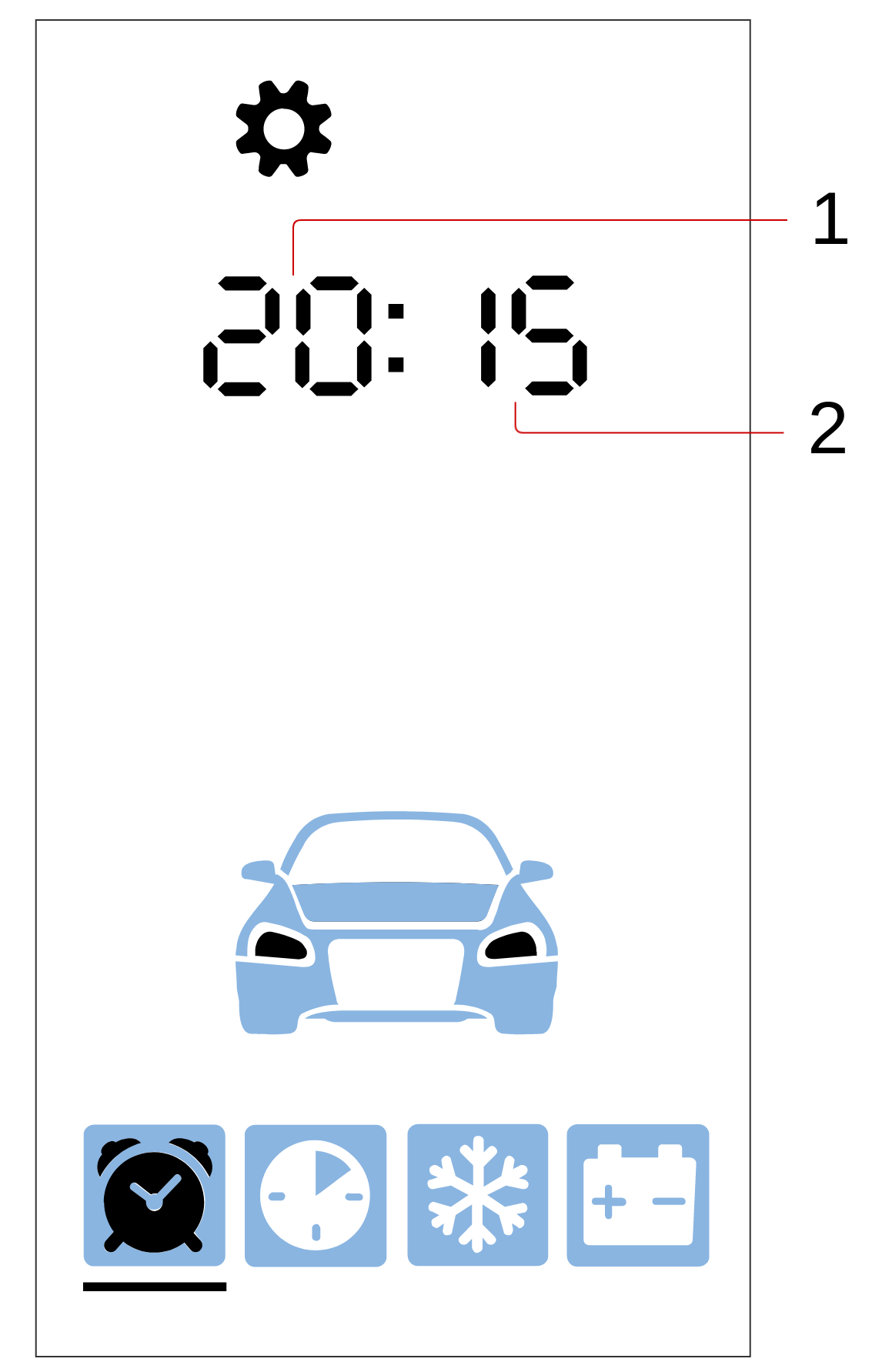
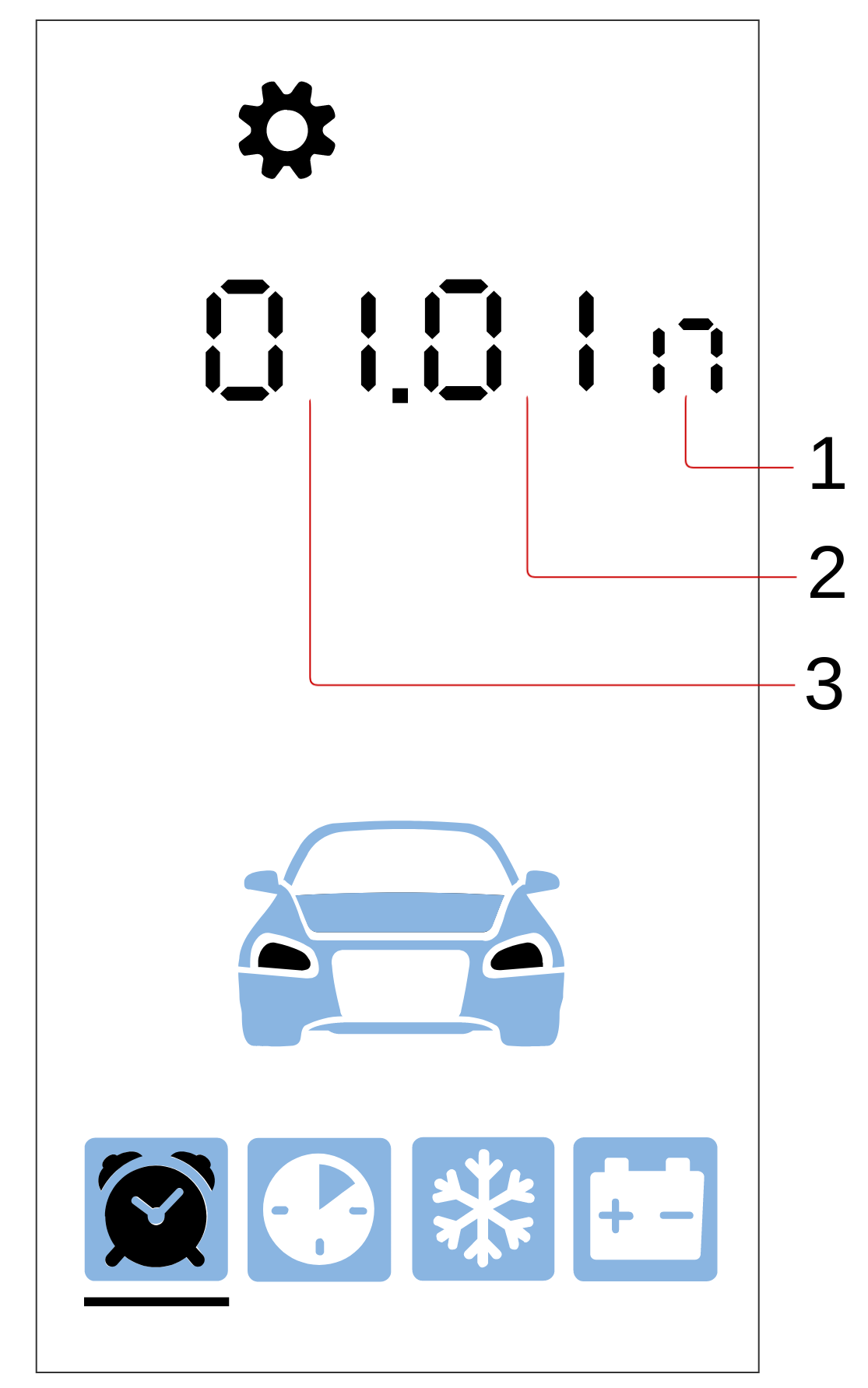
Entering and exiting the settings menu is done by long-pressing button 4: ![icon-long-4.png](/uploads/images/gallery/2023-11/icon-long-4.png "Документация StarLine > _Управление_комплексом_с_помощью_брелока_E96_E96v2 > icon-long-4.png")![icon-note-2.png](/uploads/images/gallery/2023-11/icon-note-2.png "Документация StarLine > _Управление_комплексом_с_помощью_брелока_E96_E96v2 > icon-note-1.png"). After entering the menu, the current state of the complex settings will appear on the remote key screen:

[![image.png](/uploads/images/gallery/2024-02/scaled-1680-/YvBimage.png)](/uploads/images/gallery/2024-02/YvBimage.png)[![image.png](/uploads/images/gallery/2024-02/scaled-1680-/a3vimage.png)](/uploads/images/gallery/2024-02/a3vimage.png)[![image.png](/uploads/images/gallery/2024-02/scaled-1680-/ZcXimage.png)](/uploads/images/gallery/2024-02/ZcXimage.png)

- 1 — parameter value;
- 2 — parameter number.

Transition to menu items is done by short pressing buttons ![icon-short-1.png](/uploads/images/gallery/2023-11/icon-short-1.png "Документация StarLine > _Управление_комплексом_с_помощью_брелока_E96_E96v2 > icon-short-1.png") or ![icon-short-4.png](/uploads/images/gallery/2023-11/icon-short-4.png "Документация StarLine > _Управление_комплексом_с_помощью_брелока_E96_E96v2 > icon-short-4.png"), to the previous and next item, respectively.

Decreasing and increasing the parameter value is done by short pressing buttons ![icon-short-2.png](/uploads/images/gallery/2023-11/icon-short-2.png "Документация StarLine > _Управление_комплексом_с_помощью_брелока_E96_E96v2 > icon-short-2.png") or ![icon-short-3.png](/uploads/images/gallery/2023-11/icon-short-3.png "Документация StarLine > _Управление_комплексом_с_помощью_брелока_E96_E96v2 > icon-short-3.png"), respectively. The longer the press, the more units the value changes.

Changing the parameter and exiting the menu will be confirmed by a melodic sound signal, transitions between menu items — by a vibration signal.

**Setting the Time Zone**

To set the time zone, select the first item in the settings menu. Then, using buttons <span style="color: #333333;">![icon-short-2.png](/uploads/images/gallery/2023-11/icon-short-2.png "Документация StarLine > _Управление_комплексом_с_помощью_брелока_E96_E96v2 > icon-short-2.png") </span>and<span style="color: #333333;"> ![icon-short-3.png](/uploads/images/gallery/2023-11/icon-short-3.png "Документация StarLine > _Управление_комплексом_с_помощью_брелока_E96_E96v2 > icon-short-3.png") </span>set the desired value. The minimum step size is 1 hour.

**Setting Light and Sound Indicators for Arming and Disarming**

To configure the operation of light and sound indicators when arming and disarming, select the second item in the settings menu. Then, using buttons <span style="color: #333333;">![icon-short-2.png](/uploads/images/gallery/2023-11/icon-short-2.png "Документация StarLine > _Управление_комплексом_с_помощью_брелока_E96_E96v2 > icon-short-2.png") </span>and <span style="color: #333333;">![icon-short-3.png](/uploads/images/gallery/2023-11/icon-short-3.png "Документация StarLine > _Управление_комплексом_с_помощью_брелока_E96_E96v2 > icon-short-3.png") </span> set the desired value.

Description of configuration options:

- for silent arming and disarming (without light and sound indicators), set the value to 0;
- for quiet (only light indication) — value 1;
- for full (light and sound indication) — value 2;
- for using only sound indication — value 3.

**Setting Siren Volume for Arming and Disarming**

To set the siren volume level, select the third item in the settings menu. Then, using buttons ![icon-short-2.png](/uploads/images/gallery/2023-11/icon-short-2.png "Документация StarLine > _Управление_комплексом_с_помощью_брелока_E96_E96v2 > icon-short-2.png") and ![icon-short-3.png](/uploads/images/gallery/2023-11/icon-short-3.png "Документация StarLine > _Управление_комплексом_с_помощью_брелока_E96_E96v2 > icon-short-3.png"), select the desired siren volume level.

0 — no sound, 10 — maximum volume level.

**Setting Light and Sound Indicators in "Alarm" Mode**

To configure light and sound indicators in "Alarm" mode, select the fourth item in the settings menu. Then, using buttons ![icon-short-2.png](/uploads/images/gallery/2023-11/icon-short-2.png "Документация StarLine > _Управление_комплексом_с_помощью_брелока_E96_E96v2 > icon-short-2.png") and ![icon-short-3.png](/uploads/images/gallery/2023-11/icon-short-3.png "Документация StarLine > _Управление_комплексом_с_помощью_брелока_E96_E96v2 > icon-short-3.png"), set the desired value.

Description of configuration options:

- for hidden indication (without light and sound indicators) set the value to 0;
- for quiet (only light indication) — value 1;
- for full (light and sound indication) — value 2.

**Setting Siren Volume in "Alarm" Mode**

To set the siren volume in "Alarm" mode, select the fifth item in the settings menu. Then, using buttons ![icon-short-2.png](/uploads/images/gallery/2023-11/icon-short-2.png "Документация StarLine > _Управление_комплексом_с_помощью_брелока_E96_E96v2 > icon-short-2.png") and ![icon-short-3.png](/uploads/images/gallery/2023-11/icon-short-3.png "Документация StarLine > _Управление_комплексом_с_помощью_брелока_E96_E96v2 > icon-short-3.png"), set the desired siren volume level.

0 — no sound, 10 — maximum volume level.

**Setting Motion Sensor Sensitivity**

To adjust the motion sensor sensitivity level, select the sixth item in the settings menu. Then, using buttons ![icon-short-2.png](/uploads/images/gallery/2023-11/icon-short-2.png "Документация StarLine > _Управление_комплексом_с_помощью_брелока_E96_E96v2 > icon-short-2.png") and ![icon-short-3.png](/uploads/images/gallery/2023-11/icon-short-3.png "Документация StarLine > _Управление_комплексом_с_помощью_брелока_E96_E96v2 > icon-short-3.png"), set the desired value from 0 to 30.

0 — sensor disabled, 30 — maximum sensitivity level.

**Setting Tilt Sensor Sensitivity**

To adjust the tilt sensor sensitivity level, select the seventh item in the settings menu. Then, using buttons ![icon-short-2.png](/uploads/images/gallery/2023-11/icon-short-2.png "Документация StarLine > _Управление_комплексом_с_помощью_брелока_E96_E96v2 > icon-short-2.png") and ![icon-short-3.png](/uploads/images/gallery/2023-11/icon-short-3.png "Документация StarLine > _Управление_комплексом_с_помощью_брелока_E96_E96v2 > icon-short-3.png"), set the desired value from 0 to 30.

0 — sensor disabled, 30 — maximum sensitivity level.

**Setting Warning Shock Sensor Sensitivity**

To adjust the pre-warning shock sensor sensitivity level, select the eighth item in the settings menu. Then, using buttons ![icon-short-2.png](/uploads/images/gallery/2023-11/icon-short-2.png "Документация StarLine > _Управление_комплексом_с_помощью_брелока_E96_E96v2 > icon-short-2.png") and ![icon-short-3.png](/uploads/images/gallery/2023-11/icon-short-3.png "Документация StarLine > _Управление_комплексом_с_помощью_брелока_E96_E96v2 > icon-short-3.png"), set the desired value from 1 to 30.

0 — sensor disabled, 30 — maximum sensitivity level.

The selected pre-warning shock sensor sensitivity value must be greater than the alarm shock sensor sensitivity value.

**Setting Alarm Shock Sensor Sensitivity**

To adjust the alarm shock sensor sensitivity level, select the ninth item in the settings menu. Then, using buttons ![icon-short-2.png](/uploads/images/gallery/2023-11/icon-short-2.png "Документация StarLine > _Управление_комплексом_с_помощью_брелока_E96_E96v2 > icon-short-2.png") and ![icon-short-3.png](/uploads/images/gallery/2023-11/icon-short-3.png "Документация StarLine > _Управление_комплексом_с_помощью_брелока_E96_E96v2 > icon-short-3.png"), set the desired value from 0 to 29.

0 — sensor disabled, 29 — maximum sensitivity level.

The selected alarm shock sensor sensitivity value must be lower than the pre-warning shock sensor sensitivity value.

**Setting Tag Loss Zone Range**

To set the range of the tag loss zone, select the tenth item in the settings menu. Then, using buttons ![icon-short-2.png](/uploads/images/gallery/2023-11/icon-short-2.png "Документация StarLine > _Управление_комплексом_с_помощью_брелока_E96_E96v2 > icon-short-2.png") and ![icon-short-3.png](/uploads/images/gallery/2023-11/icon-short-3.png "Документация StarLine > _Управление_комплексом_с_помощью_брелока_E96_E96v2 > icon-short-3.png"), set the desired value from 3 to 10.

3 — minimum range, 10 — maximum range.

The tag loss zone range should be greater than the tag detection zone range.

<p class="callout info">Ensure that the set tag loss zone range is sufficient from all sides of the vehicle.</p>

**Setting Tag Detection Zone Range**

To set the range of the tag detection zone, select the eleventh item in the settings menu. Then, using buttons ![icon-short-2.png](/uploads/images/gallery/2023-11/icon-short-2.png "Документация StarLine > _Управление_комплексом_с_помощью_брелока_E96_E96v2 > icon-short-2.png") and ![icon-short-3.png](/uploads/images/gallery/2023-11/icon-short-3.png "Документация StarLine > _Управление_комплексом_с_помощью_брелока_E96_E96v2 > icon-short-3.png"), set the desired value from 1 to 8.

1 — minimum range, 8 — maximum range.

<p class="callout info">The detection zone should be smaller than the tag loss zone range.</p>

**Setting the Communication Check Period with the Remote Key**

To set the communication check period with the remote key, select the twelfth item in the settings menu. Then, using buttons ![icon-short-2.png](/uploads/images/gallery/2023-11/icon-short-2.png "Документация StarLine > _Управление_комплексом_с_помощью_брелока_E96_E96v2 > icon-short-2.png") and ![icon-short-3.png](/uploads/images/gallery/2023-11/icon-short-3.png "Документация StarLine > _Управление_комплексом_с_помощью_брелока_E96_E96v2 > icon-short-3.png"), select the value 0 or 1.

Description of configuration options:

- 0 — communication check disabled; 
    - 1 — communication check occurs every 3 minutes.
        
        <div class="w-full pt-2 md:pt-0 dark:border-white/20 md:border-transparent md:dark:border-transparent md:w-[calc(100%-.5rem)]"><form class="stretch mx-2 flex flex-row gap-3 last:mb-2 md:mx-4 md:last:mb-6 lg:mx-auto lg:max-w-2xl xl:max-w-3xl"></form>  
        </div>

### Remote Sound Profile Menu

The menu offers 4 sound profiles with settings for various types of remote signals: command confirmation, alarm, and button press. Profile selection is done by pressing buttons on the remote.

<p class="callout info">The sound profile settings shown in the table are set by default.</p>

<table class="wrapped confluenceTable" id="bkmrk-%E2%84%96-%D0%9D%D0%B0%D0%B7%D0%B2%D0%B0%D0%BD%D0%B8%D0%B5-%D0%BF%D1%80%D0%BE%D1%84%D0%B8%D0%BB%D1%8F-%D0%9A"><colgroup><col></col><col></col><col></col><col></col></colgroup><thead><tr><th class="confluenceTh" style="text-align: left;">№

</th><th>Profile Name</th><th>Button Combination</th><th class="confluenceTh" style="text-align: center;">Description

</th></tr></thead><tbody><tr><td class="confluenceTd" style="text-align: left;">1</td><td class="confluenceTd" style="text-align: left;">SOUND 2</td><td class="confluenceTd" style="text-align: center;">![icon-long-3.png](/uploads/images/gallery/2023-11/icon-long-3.png "Документация StarLine > _Управление_комплексом_с_помощью_брелока_E96_E96v2 > icon-long-3.png")![icon-note-1.png](/uploads/images/gallery/2023-11/icon-note-1.png "Документация StarLine > _Управление_комплексом_с_помощью_брелока_E96_E96v2 > icon-note-1.png")[![icon-short-1.png](/uploads/images/gallery/2023-11/scaled-1680-/icon-short-1.png)](/uploads/images/gallery/2023-11/icon-short-1.png)

</td><td>Maximum volume with all signals, vibration signal enabled.</td></tr><tr><td class="confluenceTd" style="text-align: left;">2</td><td class="confluenceTd" style="text-align: left;">SOUND1</td><td class="confluenceTd" style="text-align: center;"><div class="content-wrapper"><span style="color: #333333;">![icon-long-3.png](/uploads/images/gallery/2023-11/icon-long-3.png "Документация StarLine > _Управление_комплексом_с_помощью_брелока_E96_E96v2 > icon-long-3.png")![icon-note-1.png](/uploads/images/gallery/2023-11/icon-note-1.png "Документация StarLine > _Управление_комплексом_с_помощью_брелока_E96_E96v2 > icon-note-1.png")![icon-short-2.png](/uploads/images/gallery/2023-11/icon-short-2.png "Документация StarLine > _Управление_комплексом_с_помощью_брелока_E96_E96v2 > icon-short-2.png")</span></div></td><td>Minimum volume with all signals, vibration signal enabled.</td></tr><tr><td class="confluenceTd" style="text-align: left;">3</td><td class="confluenceTd" style="text-align: left;">SOUND 0</td><td class="confluenceTd" style="text-align: center;"><div class="content-wrapper"><span style="color: #333333;">![icon-long-3.png](/uploads/images/gallery/2023-11/icon-long-3.png "Документация StarLine > _Управление_комплексом_с_помощью_брелока_E96_E96v2 > icon-long-3.png")![icon-note-1.png](/uploads/images/gallery/2023-11/icon-note-1.png "Документация StarLine > _Управление_комплексом_с_помощью_брелока_E96_E96v2 > icon-note-1.png")![icon-short-3.png](/uploads/images/gallery/2023-11/icon-short-3.png "Документация StarLine > _Управление_комплексом_с_помощью_брелока_E96_E96v2 > icon-short-3.png")</span></div></td><td>Vibration signal only, sound volume disabled.</td></tr><tr><td class="confluenceTd" style="text-align: left;">4</td><td class="confluenceTd" style="text-align: left;">SOUND --</td><td class="confluenceTd" style="text-align: center;"><div class="content-wrapper">![icon-long-3.png](/uploads/images/gallery/2023-11/icon-long-3.png "Документация StarLine > _Управление_комплексом_с_помощью_брелока_E96_E96v2 > icon-long-3.png")![icon-note-1.png](/uploads/images/gallery/2023-11/icon-note-1.png "Документация StarLine > _Управление_комплексом_с_помощью_брелока_E96_E96v2 > icon-note-1.png")![icon-short-4.png](/uploads/images/gallery/2023-11/icon-short-4.png "Документация StarLine > _Управление_комплексом_с_помощью_брелока_E96_E96v2 > icon-short-4.png")</div></td><td>Silent mode, sound volume and vibration signal disabled.</td></tr></tbody></table>

### Adjusting Sound Profile Settings:

Enter the menu by long press of the button **![icon-long-3.png](/uploads/images/gallery/2023-11/iC9icon-long-3.png "Документация StarLine > _Управление_комплексом_с_помощью_брелока_E96_E96v2 > icon-long-3.png")![icon-note-2.png](/uploads/images/gallery/2023-11/icon-note-2.png "Документация StarLine > _Управление_комплексом_с_помощью_брелока_E96_E96v2 > icon-note-1.png").** After entering, the current profile settings will be displayed.

**Adjusting Command Confirmation Volume**

[![image.png](/uploads/images/gallery/2024-02/scaled-1680-/Cs0image.png)](/uploads/images/gallery/2024-02/Cs0image.png)<span style="color: #000000;"> </span>[![image.png](/uploads/images/gallery/2024-02/scaled-1680-/k70image.png)](/uploads/images/gallery/2024-02/k70image.png)

- 1 — volume level of the selected signal type;
- 2 — number of the selected sound profile;
- 3 — indication of volume settings for command confirmation signals;
- 4 — vibration signal: ![Сработал тревожный уровень датчика удара.png](/uploads/images/gallery/2023-11/srabotal-trevoznyi-uroven-datcika-udara.png "Документация StarLine > _Управление_комплексом_с_помощью_брелока_E96_E96v2 > Сработал тревожный уровень датчика удара.png")— on, ![Датчик удара отключен.png](/uploads/images/gallery/2023-11/datcik-udara-otkliucen.png "Документация StarLine > _Управление_комплексом_с_помощью_брелока_E96_E96v2 > Датчик удара отключен.png") — off.

Volume adjustment is done by short pressing the buttons ![icon-short-2.png](/uploads/images/gallery/2023-11/6GHicon-short-2.png "Документация StarLine > _Управление_комплексом_с_помощью_брелока_E96_E96v2 > icon-short-2.png") or ![icon-short-3.png](/uploads/images/gallery/2023-11/icon-short-3.png "Документация StarLine > _Управление_комплексом_с_помощью_брелока_E96_E96v2 > icon-short-3.png"), respectively. A short press of the button ![icon-short-4.png](/uploads/images/gallery/2023-11/icon-short-4.png "Документация StarLine > _Управление_комплексом_с_помощью_брелока_E96_E96v2 > icon-short-4.png") enables or disables the vibration signal.

To switch to adjusting the next type of signal within the selected sound profile, press ![icon-short-1.png](/uploads/images/gallery/2023-11/icon-short-1.png "Документация StarLine > _Управление_комплексом_с_помощью_брелока_E96_E96v2 > icon-short-1.png").

**Adjusting Alarm Signal Volume**<span style="color: #000000;">  
</span>

[![image.png](/uploads/images/gallery/2024-02/scaled-1680-/gQJimage.png)](/uploads/images/gallery/2024-02/gQJimage.png)[![image.png](/uploads/images/gallery/2024-02/scaled-1680-/4Tvimage.png)](/uploads/images/gallery/2024-02/4Tvimage.png)

- 1 — Selected signal type volume level;
- 2 — Selected Sound Profile Number;
- 3 — Vibration Signal: ![Сработал тревожный уровень датчика удара.png](/uploads/images/gallery/2023-11/srabotal-trevoznyi-uroven-datcika-udara.png "Документация StarLine > _Управление_комплексом_с_помощью_брелока_E96_E96v2 > Сработал тревожный уровень датчика удара.png")— on, ![Датчик удара отключен.png](/uploads/images/gallery/2023-11/datcik-udara-otkliucen.png "Документация StarLine > _Управление_комплексом_с_помощью_брелока_E96_E96v2 > Датчик удара отключен.png") — off;
- 4 — Volume Adjustment Indication for Alarm Signals.

Volume adjustment is done by short pressing the buttons ![icon-short-2.png](/uploads/images/gallery/2023-11/icon-short-2.png "Документация StarLine > _Управление_комплексом_с_помощью_брелока_E96_E96v2 > icon-short-2.png") or ![icon-short-3.png](/uploads/images/gallery/2023-11/icon-short-3.png "Документация StarLine > _Управление_комплексом_с_помощью_брелока_E96_E96v2 > icon-short-3.png"), respectively. A short press of the button ![icon-short-4.png](/uploads/images/gallery/2023-11/icon-short-4.png "Документация StarLine > _Управление_комплексом_с_помощью_брелока_E96_E96v2 > icon-short-4.png") enables or disables the vibration signal.

To switch to adjusting the next type of signal within the selected sound profile, press ![icon-short-1.png](/uploads/images/gallery/2023-11/icon-short-1.png "Документация StarLine > _Управление_комплексом_с_помощью_брелока_E96_E96v2 > icon-short-1.png").

**Adjusting Button Press Signal Volume**

[![image.png](/uploads/images/gallery/2024-02/scaled-1680-/mHYimage.png)](/uploads/images/gallery/2024-02/mHYimage.png)[![image.png](/uploads/images/gallery/2024-02/scaled-1680-/eakimage.png)](/uploads/images/gallery/2024-02/eakimage.png)

- 1 — Volume Adjustment Indication for Button Presses.
- 2 — Selected signal type volume level;
- 3 — Selected Sound Profile Number;
- 4 — Vibration Signal: ![Сработал тревожный уровень датчика удара.png](/uploads/images/gallery/2023-11/srabotal-trevoznyi-uroven-datcika-udara.png "Документация StarLine > _Управление_комплексом_с_помощью_брелока_E96_E96v2 > Сработал тревожный уровень датчика удара.png")— on, ![Датчик удара отключен.png](/uploads/images/gallery/2023-11/datcik-udara-otkliucen.png "Документация StarLine > _Управление_комплексом_с_помощью_брелока_E96_E96v2 > Датчик удара отключен.png") — off.

Volume adjustment is done by short pressing the buttons ![icon-short-2.png](/uploads/images/gallery/2023-11/icon-short-2.png "Документация StarLine > _Управление_комплексом_с_помощью_брелока_E96_E96v2 > icon-short-2.png") or ![icon-short-3.png](/uploads/images/gallery/2023-11/icon-short-3.png "Документация StarLine > _Управление_комплексом_с_помощью_брелока_E96_E96v2 > icon-short-3.png"), respectively. A short press of the button ![icon-short-4.png](/uploads/images/gallery/2023-11/icon-short-4.png "Документация StarLine > _Управление_комплексом_с_помощью_брелока_E96_E96v2 > icon-short-4.png") enables or disables the vibration signal.

To switch to adjusting the next type of signal within the selected sound profile, press ![icon-short-1.png](/uploads/images/gallery/2023-11/icon-short-1.png "Документация StarLine > _Управление_комплексом_с_помощью_брелока_E96_E96v2 > icon-short-1.png").

Exiting the menu automatically occurs after 10 seconds without pressing any buttons on the remote. After exiting, the name of the set profile will be displayed on the screen for several seconds:

[![image.png](/uploads/images/gallery/2024-02/scaled-1680-/9E8image.png)](/uploads/images/gallery/2024-02/9E8image.png)

### Resetting Profile Settings to Factory Defaults

To reset profile settings to factory defaults, follow these steps:

1. Select the desired sound profile using the corresponding button combination.
2. Enter the sound profile menu by second-level long press of the 3 button: **![icon-long-3.png](/uploads/images/gallery/2023-11/icon-long-3.png "Документация StarLine > _Управление_комплексом_с_помощью_брелока_E96_E96v2 > icon-long-3.png")![icon-note-2.png](/uploads/images/gallery/2023-11/icon-note-2.png "Документация StarLine > _Управление_комплексом_с_помощью_брелока_E96_E96v2 > icon-note-1.png")**.
3. Repeat the second-level long press of the 3 button: ![icon-long-3.png](/uploads/images/gallery/2023-11/icon-long-3.png "Документация StarLine > _Управление_комплексом_с_помощью_брелока_E96_E96v2 > icon-long-3.png")![icon-note-1.png](/uploads/images/gallery/2023-11/icon-note-1.png "Документация StarLine > _Управление_комплексом_с_помощью_брелока_E96_E96v2 > icon-note-1.png")[![icon-note-1.png](/uploads/images/gallery/2023-11/scaled-1680-/icon-note-1.png)](/uploads/images/gallery/2023-11/icon-note-1.png).

### Selecting a Sound Theme

In the sound profile menu, you can also set the tone of the remote key's sound signals by selecting one of the sound themes. To select a sound theme, follow these steps:

1. Enter the sound profile menu by performing a second-level long press on button 3: **![icon-long-3.png](/uploads/images/gallery/2023-11/icon-long-3.png "Документация StarLine > _Управление_комплексом_с_помощью_брелока_E96_E96v2 > icon-long-3.png")![icon-note-2.png](/uploads/images/gallery/2023-11/icon-note-2.png "Документация StarLine > _Управление_комплексом_с_помощью_брелока_E96_E96v2 > icon-note-1.png")**.
2. Briefly press buttons ![icon-short-double-2-3.png](/uploads/images/gallery/2023-11/icon-short-double-2-3.png "Документация StarLine > _Управление_комплексом_с_помощью_брелока_E96_E96v2 > icon-short-double-2-3.png") simultaneously. The screen will display the name of the sound theme: BR-1 or BR-2**.**
3. Briefly press buttons ![icon-short-double-2-3.png](/uploads/images/gallery/2023-11/icon-short-double-2-3.png "Документация StarLine > _Управление_комплексом_с_помощью_брелока_E96_E96v2 > icon-short-double-2-3.png") simultaneously to select the next sound theme.

<p class="callout info">By default, the BR-1 theme is set</p>

You will automatically exit the menu after 10 seconds if no buttons on the remote key are pressed

### Automatic Button Lock Function

When this function is activated, the remote key buttons are automatically locked after the backlight turns off. The function is enabled and disabled by performing a second-level long press on buttons 1 and 4: ![icon-long-double-1-4.png](/uploads/images/gallery/2023-11/icon-long-double-1-4.png "Документация StarLine > _Управление_комплексом_с_помощью_брелока_E96_E96v2 > icon-logn-double-1-4.png")![icon-note-2.png](/uploads/images/gallery/2023-11/icon-note-2.png "Документация StarLine > _Управление_комплексом_с_помощью_брелока_E96_E96v2 > icon-note-2.png").

### Remote Key Locator Function

To locate the remote key, hold the service button for 5 seconds — the remote key will emit a sound signal.

### Setting Time and Date

To set the current time and date, follow these steps:

1. Enter the time and date settings menu by sequentially pressing button 4: ![icon-long-4.png](/uploads/images/gallery/2023-11/icon-long-4.png "Документация StarLine > _Управление_комплексом_с_помощью_брелока_E96_E96v2 > icon-long-4.png")![icon-note-1.png](/uploads/images/gallery/2023-11/icon-note-1.png "Документация StarLine > _Управление_комплексом_с_помощью_брелока_E96_E96v2 > icon-note-1.png")![icon-short-4.png](/uploads/images/gallery/2023-11/icon-short-4.png "Документация StarLine > _Управление_комплексом_с_помощью_брелока_E96_E96v2 > icon-short-4.png").
2. Use a short press of button <span style="color: #333333;">![icon-short-2.png](/uploads/images/gallery/2023-11/icon-short-2.png "Документация StarLine > _Управление_комплексом_с_помощью_брелока_E96_E96v2 > icon-short-2.png")</span> to set the hours and a short press of button <span style="color: #333333;">![icon-short-3.png](/uploads/images/gallery/2023-11/icon-short-3.png "Документация StarLine > _Управление_комплексом_с_помощью_брелока_E96_E96v2 > icon-short-3.png")</span> to set the minutes.  
    [![image.png](/uploads/images/gallery/2024-02/scaled-1680-/6B4image.png)](/uploads/images/gallery/2024-02/6B4image.png)[![image.png](/uploads/images/gallery/2024-02/scaled-1680-/6Zgimage.png)](/uploads/images/gallery/2024-02/6Zgimage.png)
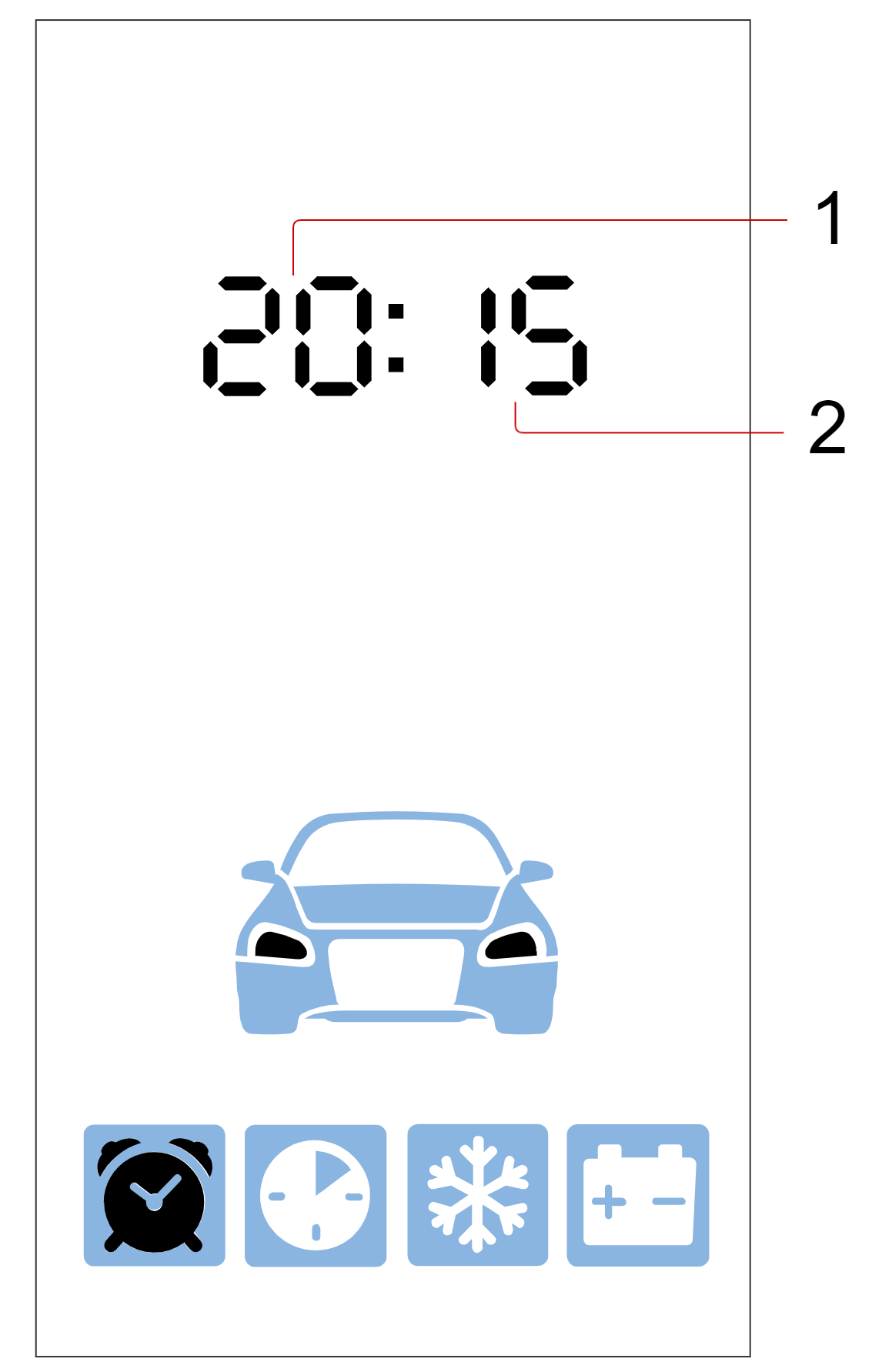


    - 1 — Hours;
    - 2 — Minutes.
3. Briefly press button ![icon-short-1.png](/uploads/images/gallery/2023-11/icon-short-1.png "Документация StarLine > _Управление_комплексом_с_помощью_брелока_E96_E96v2 > icon-short-1.png") to proceed to set the current date.   
    [![image.png](/uploads/images/gallery/2024-02/scaled-1680-/oawimage.png)](/uploads/images/gallery/2024-02/oawimage.png)[![image.png](/uploads/images/gallery/2024-02/scaled-1680-/84timage.png)](/uploads/images/gallery/2024-02/84timage.png)
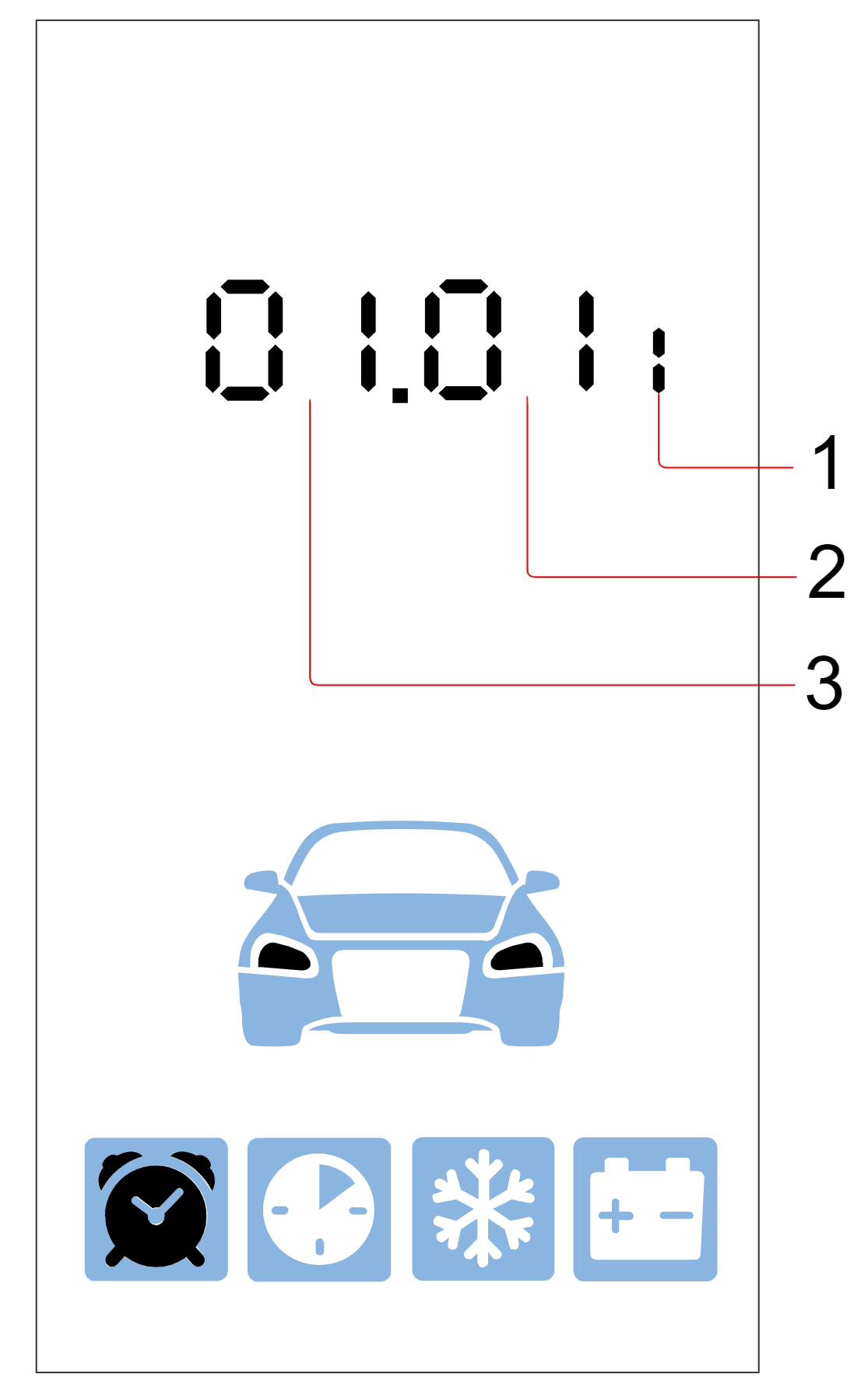


    - 1 — Day;
    - 2 — Month;
    - 3 — Year.
4. Use a short press of button <span style="color: #333333;">![icon-short-2.png](/uploads/images/gallery/2023-11/icon-short-2.png "Документация StarLine > _Управление_комплексом_с_помощью_брелока_E96_E96v2 > icon-short-2.png")</span> to set the current day, a short press of button <span style="color: #333333;">![icon-short-3.png](/uploads/images/gallery/2023-11/icon-short-3.png "Документация StarLine > _Управление_комплексом_с_помощью_брелока_E96_E96v2 > icon-short-3.png") </span>to set the current month, and a short press of button <span style="color: #333333;">![icon-short-4.png](/uploads/images/gallery/2023-11/icon-short-4.png "Документация StarLine > _Управление_комплексом_с_помощью_брелока_E96_E96v2 > icon-short-4.png") </span>to set the current year.
5. To exit the menu, press buttons ![icon-short-double-2-3.png](/uploads/images/gallery/2023-11/icon-short-double-2-3.png "Документация StarLine > _Управление_комплексом_с_помощью_брелока_E96_E96v2 > icon-short-double-2-3.png") simultaneously.