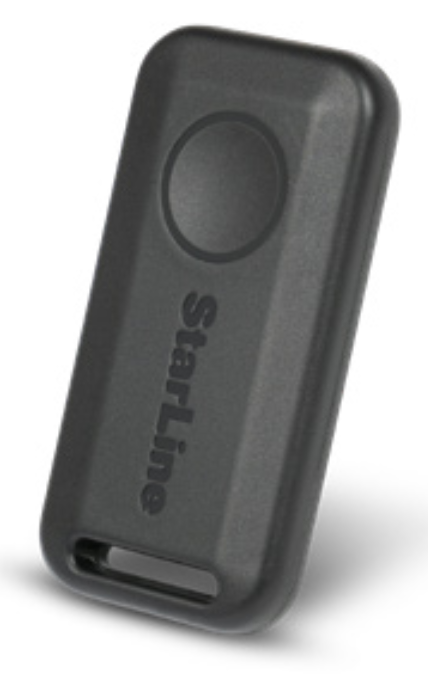
# Control with wireless tag (transponder) (optional accessory)

<p class="callout info">Wireless tags availability depends on delivery set.</p>

<p class="callout danger">The included and optional tags are supplied from factory in transport (power saving) mode, i.e. inactive! Pushing a tag button in this mode is indicated by green and red alternating flashes of the built-in LED. To switch it to normal mode push a tag button several times until flashing color turns to green.</p>

[![Screen Shot 2025-02-06 at 13.36.52.png](https://help.starline.ru/uploads/images/gallery/2025-02/scaled-1680-/screen-shot-2025-02-06-at-13-36-52.png)](https://help.starline.ru/uploads/images/gallery/2025-02/screen-shot-2025-02-06-at-13-36-52.png)

#### <span style="color: rgb(35, 111, 161);">**Connection check**</span>

Push button once to check tag connection status. 2 LED flashes means connection with security main unit established, 1 flash means disconnected. A flash color corresponds to the current active mode:

- green–Regular mode, Anti-hijack is disabled
- red–Anti-hijack mode is enabled
- yellow–Service mode is enabled

#### <span style="color: rgb(35, 111, 161);">**Control over security system**</span>

Duration of a tag button pushing:

- short – push and release button, followed with a flash of corresponding current operation mode;
- long–push and hold button until LED begins flashing.

Duration of long push are of 2 levels:

- 1 level – push and hold button followed with double short
    
    flashes of a current operating mode and then long flash at
    
    which button must be released;
- 2 level – push and hold the tag button followed with double
    
    short flashes of a current operating mode, then one long flash
    
    and then followed with serial flashes at which button must be released.

<div class="conf-macro output-block" data-hasbody="false" data-macro-name="include" id="bkmrk-%D0%BA%D0%BE%D1%80%D0%BE%D1%82%D0%BA%D0%BE%C2%A0%E2%80%94-%D0%BD%D0%B0%D0%B6%D0%B0%D1%82%D1%8C-%D0%B8-%D0%BE"><div class="table-wrap"><table class="wrapped confluenceTable tablesorter tablesorter-default stickyTableHeaders" role="grid" style="width: 73.5802%; height: 135.984px;"><colgroup><col style="width: 71.7666%;"></col><col style="width: 28.236%;"></col></colgroup><thead class="tableFloatingHeaderOriginal"><tr class="tablesorter-headerRow" role="row" style="height: 29.7969px;"><th aria-disabled="false" aria-label="Команда: No sort applied, activate to apply an ascending sort" aria-sort="none" class="confluenceTh tablesorter-header sortableHeader tablesorter-headerUnSorted" data-column="0" role="columnheader" scope="col" style="height: 29.7969px;" tabindex="0"><div class="tablesorter-header-inner">**Command**</div></th><th aria-disabled="false" aria-label="Продолжительность нажатия: No sort applied, activate to apply an ascending sort" aria-sort="none" class="confluenceTh tablesorter-header sortableHeader tablesorter-headerUnSorted" data-column="1" role="columnheader" scope="col" style="height: 29.7969px;" tabindex="0"><div class="tablesorter-header-inner">**Button push**</div></th></tr></thead><tbody aria-live="polite" aria-relevant="all"><tr role="row" style="height: 29.7969px;"><td class="confluenceTd" style="height: 29.7969px;">Arm/Disarm</td><td class="confluenceTd align-center" style="height: 29.7969px;">1 short</td></tr><tr role="row" style="height: 46.5938px;"><td class="confluenceTd" colspan="1" style="height: 46.5938px;">Enable / disable Anti-hijack by a tag away

</td><td class="confluenceTd align-center" colspan="1" style="height: 46.5938px;">long 1 level

</td></tr><tr role="row" style="height: 29.7969px;"><td class="confluenceTd" style="height: 29.7969px;">Enable/Disable Service mode</td><td class="confluenceTd align-center" style="height: 29.7969px;">long 2 level

</td></tr></tbody></table>

</div></div>#### <span style="color: rgb(35, 111, 161);">**Replacing a tag battery**</span>

Wireless tag (transponder) is equipped with CR2032 type Li-ion battery.

<p class="callout warning">Tag battery discharging is indicated with 3 sounds of embedded main unit buzzer (or siren) at ignition On and owner is notified with text message to his phone number. Then battery must be replaced as soon as possible.</p>

To replace battery open a tag casing carefully with a flat metal or plastic item, remove discharged battery from slot. Install a new battery in the slot observing correct polarity (positive side up, as shown on picture). Then fix a cover back. Tag is ready for operation.

<span class="confluence-embedded-file-wrapper confluence-embedded-manual-size">![Замена элемента питания 2021.png](https://help.starline.ru/uploads/images/gallery/2023-11/zamena-elementa-pitaniia-2021.png)</span>

A smartphone with support of Bluetooth 4.2 and above can also be used as a tag. See Devices registration article to pair a smartphone as a tag.