StarLine BT-keyfob
EN version mock manual
User Manual
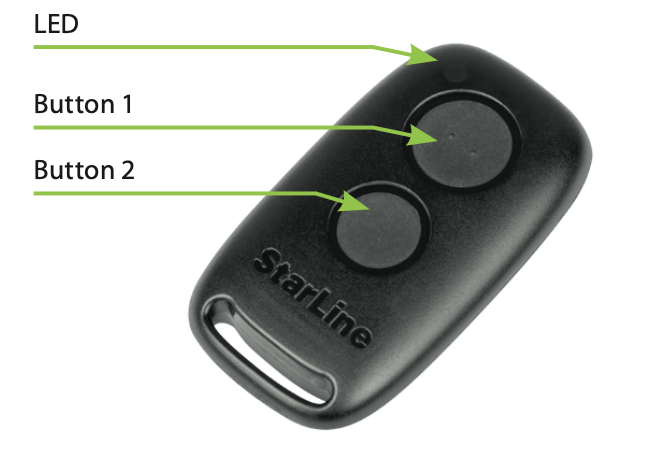
StarLine wireless transponder keyfob (hereinafter referred to as the keyfob) is designed to control the vehicle security system functions using the secure Bluetooth Smart protocol.
The keyfob has 2 built-in buttons and LED indicator.
Technical specification
| Features |
Values |
| Radio range |
Bluetooth 2.4GHz |
| Battery type |
Li-Ion CR2032 3V |
| Operation range | up to 15 m |
| Operation temperature |
-20 ... + 40 °C |
| Waterproof rating | IP54 |
| Dimensions | 53 х 29.2 х 9.2 mm |
| Weight | 12 gr |
Connection checkup
Push the button shortly once to check keyfob connection status. 2 LED flashes means connection with security system main unit established. 1 flash means disconnected. A flash color corresponds to the current active mode:
-
green – Regular mode, Anti-hijack mode disabled
-
red – Anti-hijack enabled
-
yellow – Service mode enabled
Control over security system
Duration of a keyfob buttons pressing:
short - press and release button, followed by a LED flash of corresponding current operation mode
long - press and hold button until LED flashing.
Duration of a long pressing can be of 2 levels:
1 level - press and hold button followed by 2 flashes of current operating mode and then a long light, during which
2 level - press and hold button followed by 2 flashes of current operating mode and a long light, then followed by
serial flashes, during which the button must be released.
|
Command
|
Button press sequence
|
|---|---|
| Arm | Button 1 short press |
| Disarm | Button 2 short press |
| Anti-hijack switch On / Off | Button 1 long press 1 level |
| Service mode switch On / Off | Button 1 long press 2 level |
| Trunk unlock | Button 2 long press 1 level |
Optional functions
Additional functions can be set on the buttons using StarLine Master configuration program:
short press – arm or start / stop engine
1st level long press – Anti-hijack mode control or start / stop engine
1st level long press – trunk unlock (supported with the main unit firmware version 2.43 and higher).
Pairing keyfob to security system
The main unit firmware version must be 2.42.2 and above
- when security systems is disarmed and IGN Off, press the service button 7 times and switch IGN On. Entry to registration mode will be confirmed by 7 LED flashes of the service button and 7 beeps of the main unit built-in buzzer
-
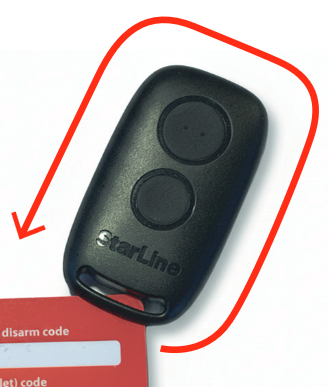
open keyfob casing, extract the circuit board

3. extract battery from the slot on the board

4. press and hold the button and insert battery back in the slot. LED will light up red

5. release the button and make sure the LED serial red flashes come up for 10 sec

6. successful pairing will be confirmed by LED single green flash, service button LED double flashes and double beeps of the main unit built-in buzzer. If keyfob pairing failed then its LED will light up red

7. repeat items 2 – 5 for remaining tags and keyfobs
8. switch IGN Off
Transponders and smartphones must be all paired in one registration cycle. All previously paired transponders and smartphones will be deleted from memory
Keyfob battery discharging is indicated with 3 sounds of the main unit built-in buzzer (or siren) at IGN On. Then battery must be replaced asap
Replacing keyfob battery
Do not dispose the faulty and broken transponder keyfob along with a regular household waste. It must be disposed at a designated electric and electronic appliances collection point