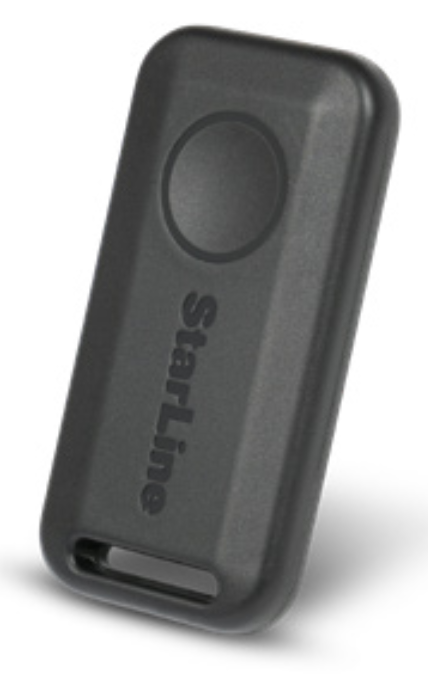
Control with wireless tag (transponder)
The included and optional tags are supplied from factory in transport (power saving) mode, i.e. inactive! Pushing a tag button in this mode is indicated by green and red alternating flashes of the built-in LED. To switch it to normal mode push a tag button several times until flashing color turns to green
Connection check
- green–Regular mode, Anti-hijack is disabled
- red–Anti-hijack mode is enabled
- yellow–Service mode is enabled
Control over security system
Duration of a tag button pushing:
- short – push and release button, followed with a flash of corresponding current operation mode;
- long–push and hold button until LED begins flashing.
Duration of long push are of 2 levels:
-
1 level – push and hold button followed with double short
flashes of a current operating mode and then long flash at
which button must be released;
-
2 level – push and hold the tag button followed with double
short flashes of a current operating mode, then one long flash
and then followed with serial flashes at which button must be released
|
Command
|
Button push
|
|---|---|
| Arm/Disarm | 1 short |
|
Enable / disable Anti-hijack by a tag away |
long 1 level |
| Enable/Disable Service mode |
long 2 level |
Replacing a tag battery
Wireless tag (transponder) is equipped with CR2032 type Li-ion battery.
Tag battery discharging is indicated with 3 sounds of embedded main unit buzzer (or siren) at ignition On. Then battery must be replaced as soon as possible
To replace battery open a tag casing carefully with a flat metal or plastic item, remove discharged battery from slot. Install a new battery in the slot observing correct polarity (positive side up, as shown on picture). Then fix a cover back. Tag is ready for operation.

A smartphone with support of Bluetooth 4.2 and above can also be used as a tag. See Devices registration article to pair a smartphone as a tag.
The smartphone operation as a tag may be limited by operating system restrictions and power saving settings in a particular phone