# Change of owner authorization code
The owner code is used for user authorization by means of the standard car buttons.
Do as follows to change the owner authorization code:
1. Deactivate complex security.

2. Switch off ignition (if it is on).
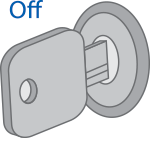
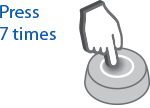
3. Press the service button 7 times.
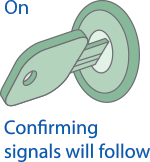
4. Switch on the ignition. 7 light signals of the LED on the service button will follow. Entry in the registration mode will be confirmed by 2 short signals of the LED on the service button.
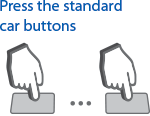
5. Enter a new owner authorization code using the standard car buttons with pressing interval not more than 3 seconds. Each pressing of the standard button will be accompanied with a single light signal on the service button.
[](/uploads/images/gallery/2024-02/UP4image.png)
The owner authorization code consists of a code sequence, containing from 5 to 30 pressings of the standard buttons. The list of standard buttons supported by the car is given on the website [can.starline.ru](http://can.starline.ru/)
If a light signal does not follow after pressing of a standard button, the button is not supported in the given car.
6. In 3 seconds after owner’s code entry, 2 short signals of the LED on the service button will follow, confirming code acceptance.
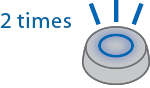
7. Enter the owner authorization code again.
8. If the code is entered correctly, 2 short signals of the LED on the service button will follow. If the code is entered incorrectly, 4 short light LED signals will follow, in this case repeat items 7 and 8.

9. In 10 seconds switch off ignition to exit the registration mode.
[](/uploads/images/gallery/2024-02/yizimage.png)
10. Exit from the registration mode will be confirmed by 2 light signals of the LED on the service button and by signals the number whereof corresponds to the total number of registered tags and smartphones.