# Owner authorisation code (PIN-to-Drive)

Pin-to-Drive code entered with factory buttons is used for secondary owner authorisation at disarming and immobiliser mode.

Recording and changing authorisation PIN code in registration mode:

1. Disarm system if it is armed
    
    ![6.png](https://help.starline.ru/uploads/images/gallery/2023-11/6.png ".changeauthorizationcodefull v2.20.3 > 6.png")
2. Switch ignition Off if it is On
    
      
    ![off.png](https://help.starline.ru/uploads/images/gallery/2024-06/off.png ".changeauthorizationcodefull v2.20.3 > 7.png")
3. Push service button or external transceiver button 7 times
    
    ![press 7 times.png](https://help.starline.ru/uploads/images/gallery/2024-06/press-7-times.png ".changeauthorizationcodefull v2.20.3 > 8.png")
4. Switch ignition On. 7 LED flashes and 7 beep sounds shall follow
    
    ![on.png](https://help.starline.ru/uploads/images/gallery/2024-06/on.png ".changeauthorizationcodefull v2.20.3 > 9.png")
5. Entry into registration mode will be confirmed with 2 LED flashes and 2 beep sounds
    
    ![valet_2_times.png](https://help.starline.ru/uploads/images/gallery/2024-06/valet-2-times.png ".changeauthorizationcodefull v2.20.3 > 2.png")
6. Enter a new PIN code with use of supported factory buttons with 3 sec and less intervals. Each pushing will be indicated with one LED flash
    
    ![press standard buttons.png](https://help.starline.ru/uploads/images/gallery/2024-06/press-standard-buttons.png ".changeauthorizationcodefull v2.20.3 > 23.png")

<p class="callout info">Authorisation PIN code may consist of 2 to 25 push sequence of factory buttons. List of supported factory buttons is published at can.starline.bz for each supported vehicle. If pushing a button is not indicated with a LED flash, then this button is not supported via CAN bus</p>

7\. Code entry will be confirmed in 3 sec with 2 LED flashes and 2 beep sounds

![valet_2_times.png](https://help.starline.ru/uploads/images/gallery/2024-06/valet-2-times.png ".changeauthorizationcodefull v2.20.3 > 2.png")

8\. Enter a new Pin code once again

9\. Properly repeated new code entry will be confirmed with 2 LED flashes and 2 beep sounds. Invalid code entry is followed with 4 LED flashes and 4 sounds, then repeat 5...8 steps

![valet_2_times.png](https://help.starline.ru/uploads/images/gallery/2024-06/valet-2-times.png ".changeauthorizationcodefull v2.20.3 > 2.png")

10\. Switch ignition Off within 10 sec to exit registration mode
  
![off.png](https://help.starline.ru/uploads/images/gallery/2024-06/off.png ".changeauthorizationcodefull v2.20.3 > 7.png")

11\. Exit from registration mode will be confirmed with 2 LED flashes and 2 beep sounds

![valet_2_times.png](https://help.starline.ru/uploads/images/gallery/2024-06/valet-2-times.png ".changeauthorizationcodefull v2.20.3 > 2.png")

### <span style="color: rgb(35, 111, 161);">**Deleting authorisation PIN code**</span>

1. Disarm system if it is armed
    
    ![6.png](https://help.starline.ru/uploads/images/gallery/2023-11/6.png ".changeauthorizationcodefull v2.20.3 > 6.png")
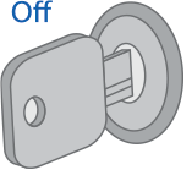
2. Switch ignition Off if it is On
    
    ![off.png](https://help.starline.ru/uploads/images/gallery/2024-06/off.png ".changeauthorizationcodefull v2.20.3 > 7.png")
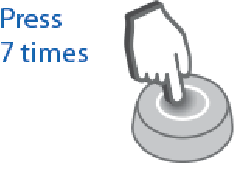
3. Push service button or external transceiver button 7 times
    
    ![press 7 times.png](https://help.starline.ru/uploads/images/gallery/2024-06/press-7-times.png ".changeauthorizationcodefull v2.20.3 > 8.png")
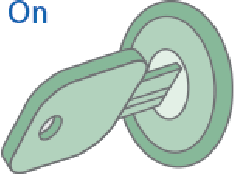
4. Switch ignition On. 7 LED flashes and 7 beep sounds shall follow
    
    ![on.png](https://help.starline.ru/uploads/images/gallery/2024-06/on.png ".changeauthorizationcodefull v2.20.3 > 9.png")
5. Entry into registration mode will be confirmed with 2 LED flashes and 2 sounds

    
    ![valet_2_times.png](https://help.starline.ru/uploads/images/gallery/2024-06/valet-2-times.png ".changeauthorizationcodefull v2.20.3 > 2.png")
6. Push service button 3 times
7. Wait for the long LED light up confirming that existing authorisation PIN code has been erased from memory
8. Switch ignition Off

    
    ![off.png](https://help.starline.ru/uploads/images/gallery/2024-06/off.png ".changeauthorizationcodefull v2.20.3 > 7.png")
9. Exit from registration mode will be confirmed with 2 LED flashes and 2 beep sounds