
Device registration
Registration mode is used to pair tags, smartphones and wireless relay StarLine R6.
Total amount of accessories can be registered in the system main unit: 5 wireless tags or 4 smartphones
Complete all device registration steps without long pauses between them
Entry to device registration
-
disarm system if it is armed
-
send SMS command REG ХХХХ, where ХХХХ is emergency disarm code
-
wait for SMS message confirming entry to registration mode
If invalid emergency disarm code is sent 3 times, then entry to device registration will be blocked for 15 min, and alert SMS will be sent to owner's M1 phone number
Wireless tags (transponders) registration
-
Remove battery from a tag slot
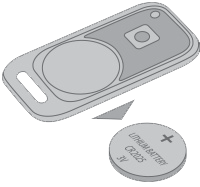
-
Push and hold tag button and insert battery back in slot observing the right polarity (“+” side top). The tag LED will light up red
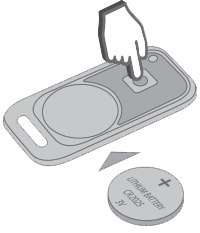
-
Release button and make sure a tag LED serial red flashes come up for 10 seconds
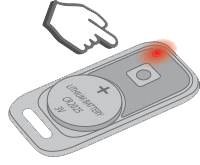
-
Successful registration will be confirmed by a tag LED green flash and SMS message.
If a tag pairing failed then its LED will light up red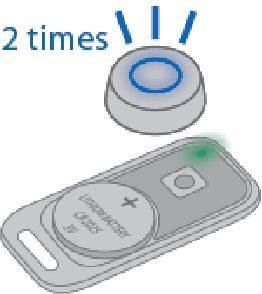
-
Repeat items 1-3 for the remaining tags
Smartphone registration
- enable Bluetooth in smartphone and activate device searching
- select "StarLine M66 v2" in available devices list
- enter pairing code 000000 (for iOS click "Pair")
If multiple registered smartphones are in range at the same time, the system will only work with the first one to connect
Exit from the device registration mode
System will automatically exit from device registration mode in 5 minutes.
Successful device registration will be confirmed by an SMS with a list of registered devices.